Messaging
The call ends. The details arrive in writing.
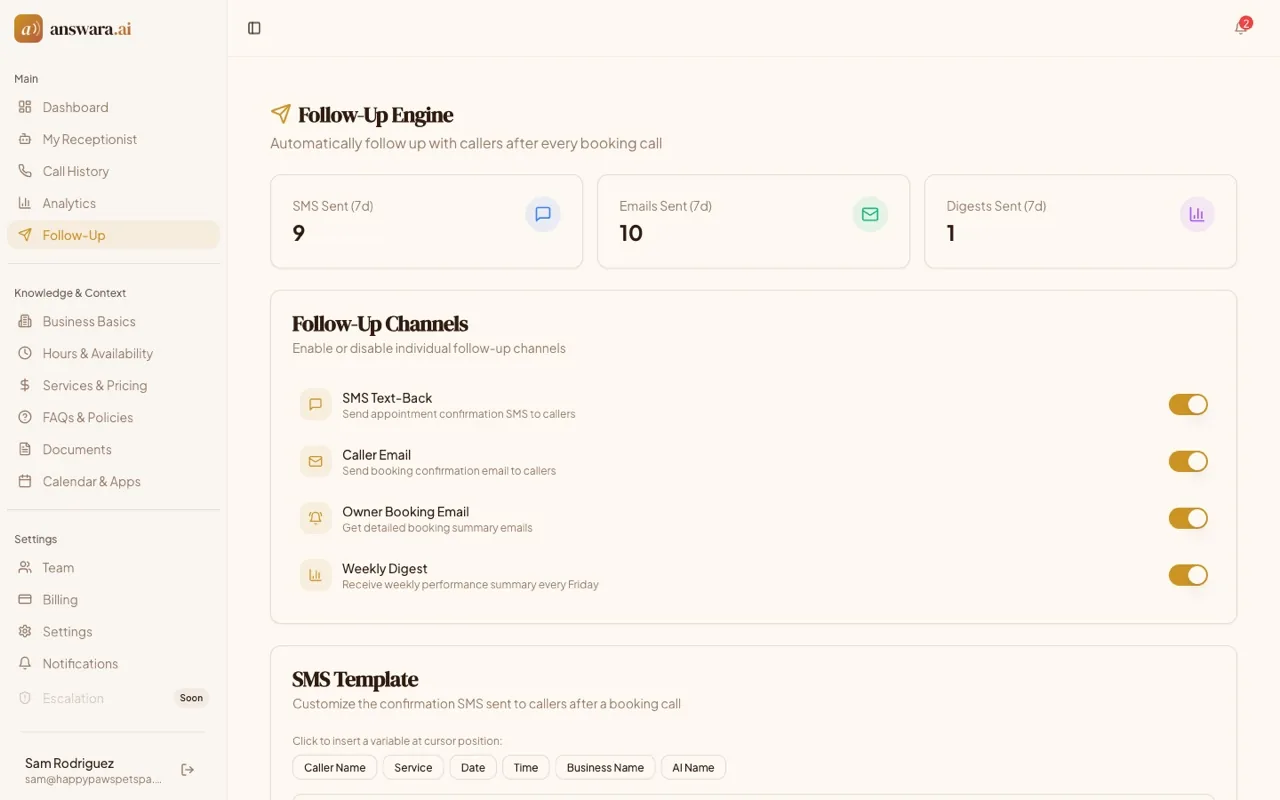
Your receptionist answers the call and books the job. Then the follow-up goes out on its own: a confirmation text built from your own wording, a booking email to the caller, a summary to you, and a digest of the week every Friday.
Paste your website. We read it and build a receptionist that knows your services.
From a booked call to a message they can keep
Nothing to send by hand. It runs off the call the AI just took.
Call summary
Sarah booked an oil change for April 2 at two.
SMS template
Hi {caller_name}, your {service} is confirmed for {date} at {time}.
Preview with sample data
Hi Sarah Johnson, your Oil Change is confirmed for April 2, 2026 at 2:00 PM.
The wording is yours, and so is the timing
The message is a template, not a canned string. You write it, drop in the caller's name, the service, the date and the time from a row of buttons, and preview it against sample data before you save.
You choose when each one leaves: straight away, or after thirty seconds, a minute, or five. Each channel switches on and off on its own, and a log on the same screen shows what went to whom and whether it landed.
Everything here starts from a call the receptionist answered and booked. The phone that rings out is a different argument, with its own page.
Recent activity
The rest of what it does
Messaging questions
- When does a message actually go out?
- When your receptionist finishes a call it treats as a booking. The end-of-call report comes back, the booking details come with it, and the follow-up is dispatched from there. A call that was not about booking anything does not trigger one.
- Can I change what the text says?
- Yes. The template is a text box you edit, with buttons that insert the caller name, service, date, time, your business name and your AI's name. Preview it against sample data, and watch the character count: over 160 and a text can split in two.
- What goes out besides the text?
- A booking confirmation email to the caller, a fuller summary email to you, and a performance digest every Friday. Each of the four is a switch of its own, so you can run the email and skip the text, or the other way round.
- Is this the same as missed call text back?
- The switch is called SMS Text-Back in the app and on pricing, and what fires it is a call your receptionist answered and booked. Missed call text back asks a different question, about a phone that rings out, and it has a page of its own.
Let the follow-up write itself
Call (857) ANSWARA to hear it take a booking, then start a trial and watch the confirmation go out on your own calls.
14-day free trial. No hidden fees, cancel anytime.