“The heater says check flow, but the pump sounds normal.” That call can turn into a wasted visit if the ticket says only “heater broken.” The technician needs the exact display message, heater model, requested temperature, circulation state, recent work, and any gas or electrical concern before leaving the shop.
Start with safety. Ask about gas odor, smoke, scorching, unusual heat, flooding, damaged wiring, and indoor venting concerns. Then identify the heater and capture what the customer sees without asking anyone to open a cabinet. Record whether the pump is running, whether water is returning to the pool, what temperature was requested, and what changed before the problem began.
The office should route the call. It should not diagnose combustion, gas pressure, refrigerant, voltage, or a failed safety control by phone.
Open with a safety screen
Ask the caller to stay where they can speak safely. If they report a strong gas odor, smoke, flames, sparking, a burning smell, unusual cabinet heat, water around electrical equipment, or visible wire damage, stop the ordinary intake. Follow the company’s emergency policy and the equipment manufacturer’s safety guidance. Do not ask the caller to restart the heater for a better description.
Gas-heater manuals put firm boundaries around service. Pentair’s MasterTemp installation and user guide says installation and service must be performed by qualified personnel. It also treats a heater that has been under water as a unit requiring qualified inspection. Those warnings belong in the call script because a routine “no heat” appointment can hide a combustion, venting, or electrical hazard.
Ask whether the heater is outdoors or in an enclosure. For an indoor installation, record any venting change, recent construction, soot, exhaust smell, or carbon-monoxide alarm. Do not inspect venting by video and declare it safe. The CPSC recall for certain Hayward heater vent kits applied to a specific indoor heater and vent configuration and directed owners to stop using affected equipment. The lesson for intake is precise: model and installation details can change the safety response.
Identify the heater before discussing the fault
“Pool heater” can mean a natural-gas unit, propane unit, electric heat pump, electric resistance heater, or solar system. Ask which type the customer has, but mark it unknown when they are unsure. A photograph of the whole equipment pad often settles the question without guesswork.
Request a readable photo of the data label and another of the controller display. The MasterTemp manual locates model identification on the rating plate inside the front area, but the office should never direct a caller to remove a panel or reach into equipment. If the label is not safely visible, leave it for the technician. Existing invoices, warranty records, and an equipment app may also show the model.
Capture these fields:
- Manufacturer, model, and serial or heater identification number, if safely visible
- Gas, propane, heat pump, electric resistance, solar, or unknown
- Pool only, spa only, or shared pool-and-spa system
- Exact display message, lights, or code, copied character for character
- Requested temperature, displayed water temperature, and operating mode
- Controller or automation brand, plus whether the command came from the heater panel or an app
- Date the heater last worked normally and whether the failure is constant or intermittent
A code without a model is weak evidence. Even with a model, the code describes a condition the controls detected. It does not prove which part failed.
Follow the water, energy, and control paths separately
A heater sits inside a larger equipment system. Water must move from the pool through the pump and filter, through the heater, and back to the pool. The heater also needs its energy source and a valid heat request from its controls or automation.
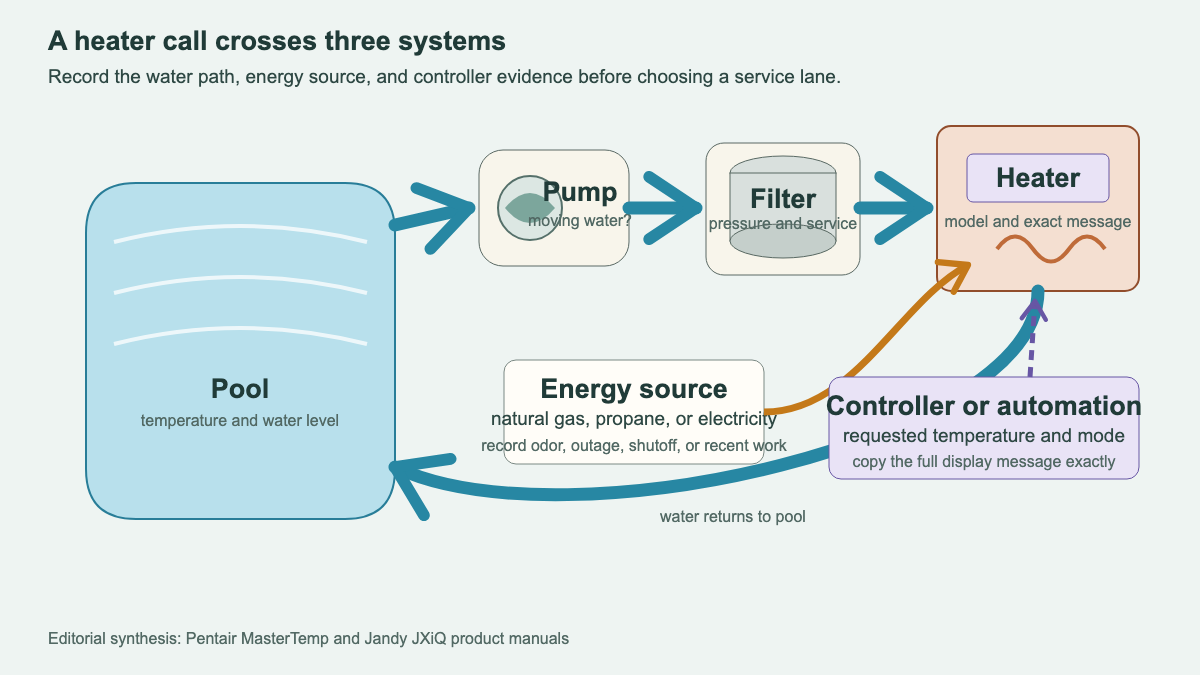
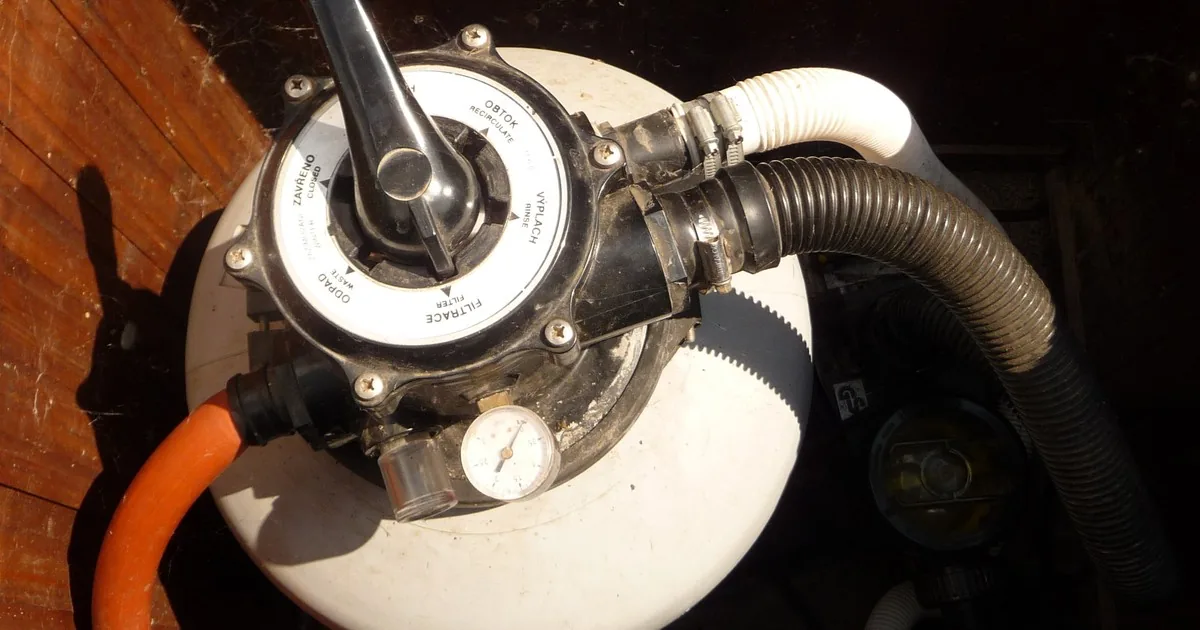
Ask whether the circulation pump is running. Can the caller see water moving at the return jets? Does the pump basket appear full of water? What does the filter pressure gauge show, if it is visible from a safe position? Did anyone clean the filter, empty the pump basket, move valves, or change pump speed before the heater stopped?
Pentair states that its heater requires proper water flow and pressure. Jandy’s JXiQ manual describes a “Check Flow” fault that stops combustion when sufficient pressure is not detected. That does not mean every flow message comes from a dirty filter or failed pump. It means circulation evidence belongs in the ticket.
If pump or filter behavior is the main problem, use the pool pump and filter repair intake guide. Record the heater message as a downstream symptom and send the ticket through the company’s circulation-service policy.
Now capture the energy path. For a gas heater, ask whether other gas appliances are operating and whether gas work, a tank refill, or a shutoff occurred recently. Do not ask the caller to operate gas valves. For a heat pump or electric heater, ask about a power outage, tripped breaker, recent electrical work, and whether the display has power. Repeated breaker trips, damaged wiring, water intrusion, smoke, or a burning smell belongs in the safety lane.
Finally, capture the control path. Was the pool or spa selected? What target temperature appears? Is a schedule active? Does an automation system own the command? A heater panel can look ready while an external controller is withholding the heat request. Record the state. Leave configuration changes to the company’s approved support procedure.
Get the timeline that explains the service call
Ask for the last normal heating cycle and the first abnormal one. A useful timeline might begin after a storm, a pool opening, filter service, plumbing repair, gas work, an automation update, or a long period with the heater off. Keep the wording neutral. “Heater stopped after filter cleaning” is an observation, not an accusation.
Ask what the customer means by “not heating.” Does the unit remain silent? Start and stop? Run while the water stays cool? Heat the spa but not the pool? Reach part of the requested temperature? Make a new sound? Produce an odor? Show a message only when the pump changes speed?
Weather and starting water temperature matter to the description, especially for a heat pump, but the office should avoid promising a warm-up time. Record the air temperature, water temperature, target, pool or spa selection, use of a cover, and how long the customer observed the system. The technician can judge performance against the specific model and conditions.
Seasonal opening adds another layer. If the heater has been idle for months, ask whether winter plugs were removed, valves were returned to service position, the system was fully primed, and the heater was started under the company’s opening procedure. The related pool-opening scheduling guide helps separate an opening visit from a focused heater repair.
Route the call without naming a failed part
A simple routing tree keeps the office from treating every no-heat complaint as the same appointment.
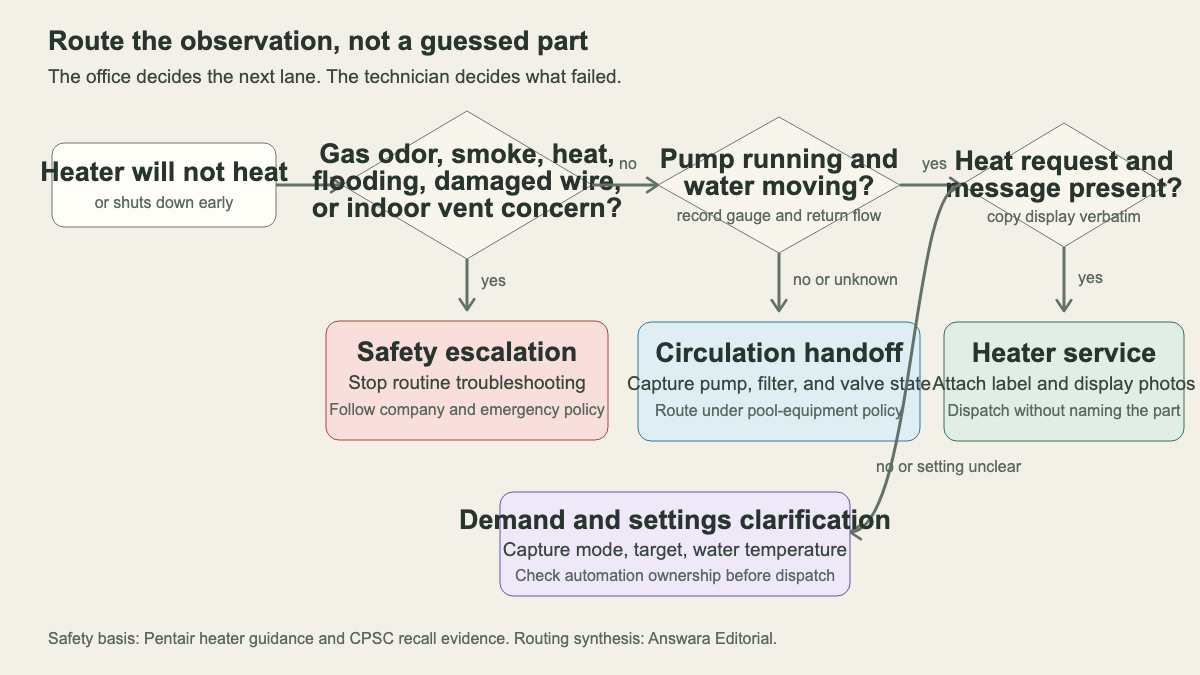
Safety escalation: Gas odor, smoke, flames, unusual heat, damaged wiring, flooding, a carbon-monoxide alarm, or an indoor vent concern stops routine troubleshooting. Use the company’s emergency and manufacturer policy.
Circulation handoff: The pump is off, will not remain running, has lost prime, or appears not to move water. Capture the pump, filter, valve, and gauge evidence, then route under pool-equipment policy.
Demand clarification: Circulation looks normal, but the heater has no clear heat request. Record operating mode, target and water temperatures, schedules, and automation ownership. Use only the company’s approved settings procedure.
Heater-service dispatch: Circulation is present, a heat request exists, and the heater shows a repeatable symptom or message. Attach label and display photos. Include the energy source, last normal operation, recent work, and site conditions.
Send a work order the technician can use
Finish with access and appointment details. Record the service address, gate code, equipment-pad location, pets, locked enclosures, parking limits, and who can authorize work. Ask whether the pool is needed for a party, rental turnover, swim lesson, or spa booking, but do not promise restoration by that deadline.
Read the handoff back in sequence:
“Outdoor natural-gas heater serving a shared pool and spa. Label photo shows the manufacturer and model; serial is unreadable. Pump is running, return flow is visible, and the filter gauge reads 14 psi at the current speed. Spa mode requests 102°F while displayed water temperature is 78°F. The heater starts, then stops and shows ‘Check Flow.’ Filter cartridges were cleaned yesterday. No gas odor, smoke, unusual heat, flooding, damaged wire, or carbon-monoxide alarm reported. Gate code is in the ticket, and the homeowner will provide access.”
That note preserves the symptom, system state, recent change, safety screen, and access. It gives the field technician a useful starting point without turning the front desk into a repair bench.
An AI receptionist can collect the same fields after hours if the boundaries are strict. It should stop on hazards, copy codes exactly, avoid repair coaching, and transfer uncertain calls under the pool company’s policy. The best first question remains concrete: “Before we schedule, do you smell gas or see smoke, unusual heat, flooding, or damaged wiring near the heater?”