“The garage door remote stopped working” sounds specific until the caller adds that the outside keypad is dark, a second car still opens the door, and someone changed the opener last year. The office is now sorting four pieces of equipment, two possible service scopes, and a compatibility question.
A useful garage door remote or keypad call starts with one fact: which control still operates the door? Compare the handheld remote, exterior keypad, interior wall control, and any second remote. Then record the opener manufacturer and model, the accessory model when visible, recent battery or programming changes, and the way the door moves. That separates a single-accessory request from a broader opener or door problem before a technician leaves the shop.
Do not promise that a battery, universal remote, or reprogramming visit will solve it. “Universal” products still have compatibility limits. A door that jerks, reverses, binds, or will not travel belongs in a door-service assessment, even if the customer first blamed the clicker.
Start with the control that still works
Ask the caller to leave the door in its current safe position while you identify the devices. The first question is plain: “Does the door run from the wall control inside the garage?”
When the wall control operates the door normally but one handheld remote does nothing, the intake can stay focused on that remote and its relationship to the opener. If the wall control and a second remote work but the wireless keypad does not, capture keypad details. If every wireless control fails while the wall control works, the technician needs a broader record that includes recent power events, lock-mode reports, opener identity, and whether programming was recently cleared.
When the wall control also fails, stop treating the call as a simple accessory replacement. Ask whether the opener has power and whether the caller sees or hears any response, but avoid walking an untrained person through covers, wiring, or a ladder inspection. The appointment may require opener diagnosis. If the door itself looks crooked, comes off the track, or moves roughly, use the company’s garage door emergency intake procedure.
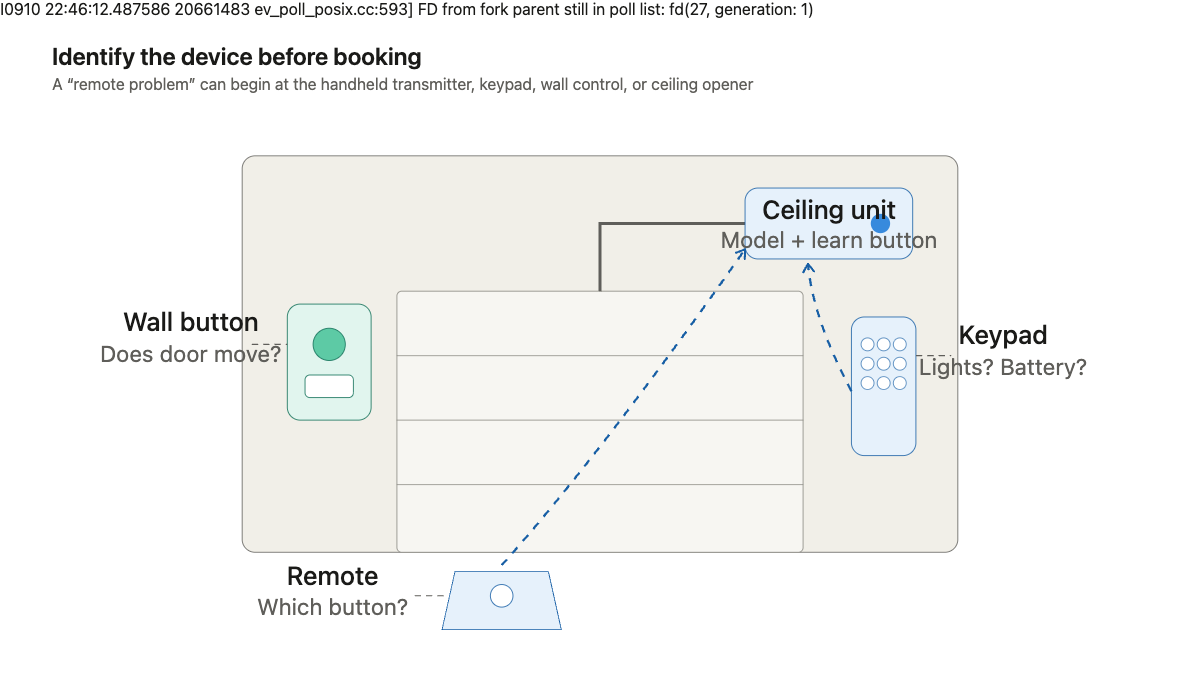
The working-control comparison gives dispatch something concrete. “Remote dead” does not. A better note reads, “Wall control and second vehicle remote operate the door normally; gray three-button visor remote gives no response.”
Capture the opener and accessory identity
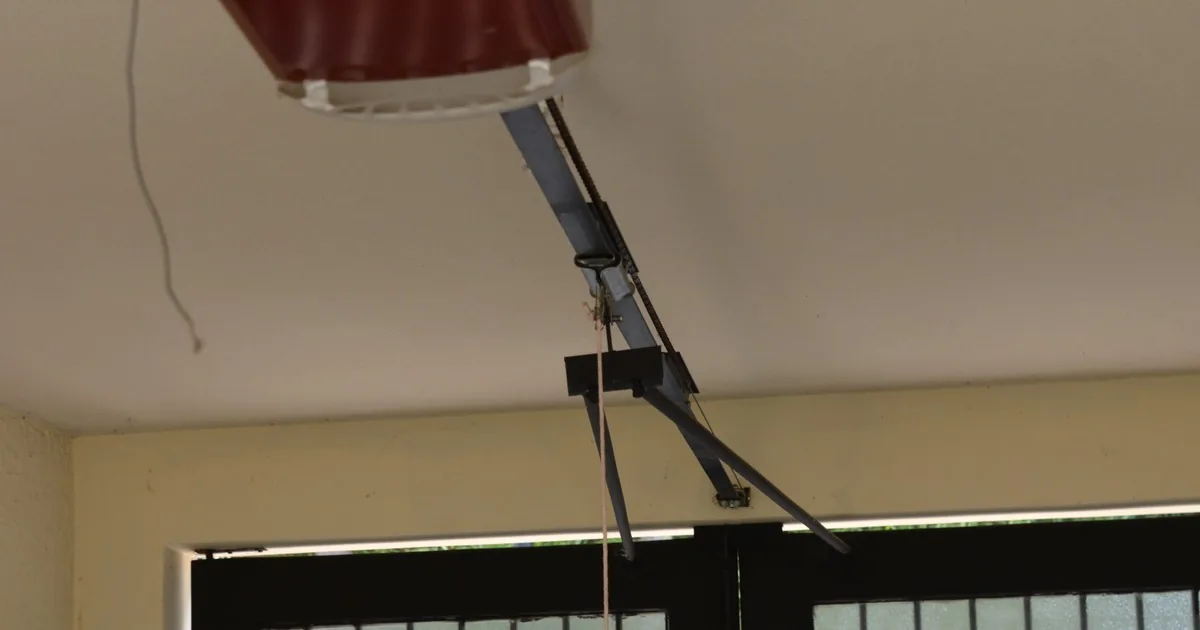
Compatibility depends on the installed system. LiftMaster’s remote and keyless-entry compatibility guidance directs users to identify the opener’s learn-control color when matching remotes and keypads. The control is on the opener near the hanging antenna and may sit behind a light lens or panel.
The office should ask for the opener manufacturer, model number, and approximate installation date. A previous invoice is useful. So is a clear photograph of the opener label taken from the floor with the camera zoomed, if the label is visible that way. Do not ask a caller to climb a ladder or remove a cover to find it.
For the failed accessory, record:
- Whether it is a handheld visor remote, keychain remote, exterior keypad, vehicle-integrated control, or phone-connected accessory
- The brand and model printed on the case or inside an easy-open battery compartment
- The number of buttons and which button was used for this door
- Whether any indicator light appears when a button is pressed
- When its battery was last changed and whether the problem began after that change
- Whether it ever worked with this opener or is a new replacement
- Whether another remote or keypad is affected
- Any recent opener replacement, power outage, service visit, vehicle change, or programming attempt
Chamberlain describes its wireless garage door keypads as battery operated, so the keypad’s light and battery history are useful observations. They are not a diagnosis. Cold weather, a damaged cover, worn buttons, lost programming, a mismatched accessory, or another fault can produce a similar customer description.
Be careful with the word “universal.” Genie says its universal remote works with most major opener brands and supports rolling-code and dip-switch systems. “Most” still requires a compatibility check against the opener and accessory documentation. The office should promise research or inspection, not a match based on package wording.
Separate programming trouble from door trouble
Programming may activate the door. Genie’s universal remote programming guidance tells users to clear people, pets, ladders, vehicles, and other obstructions from the door path before activation. That boundary belongs in every remote and keypad script.
Ask whether the door opens and closes smoothly from a known working control. Does it stop partway, reverse, shake, scrape, or make a new sound? Is a spring, cable, roller, track, or door section visibly damaged? Has someone disconnected the trolley or tried to force the door?
A remote call can expose a separate movement problem. The office should route that condition for inspection and avoid repeated activation tests. If the customer says the door begins to close and reverses, the sensor and obstruction intake guide gives the office a better path than accessory troubleshooting.
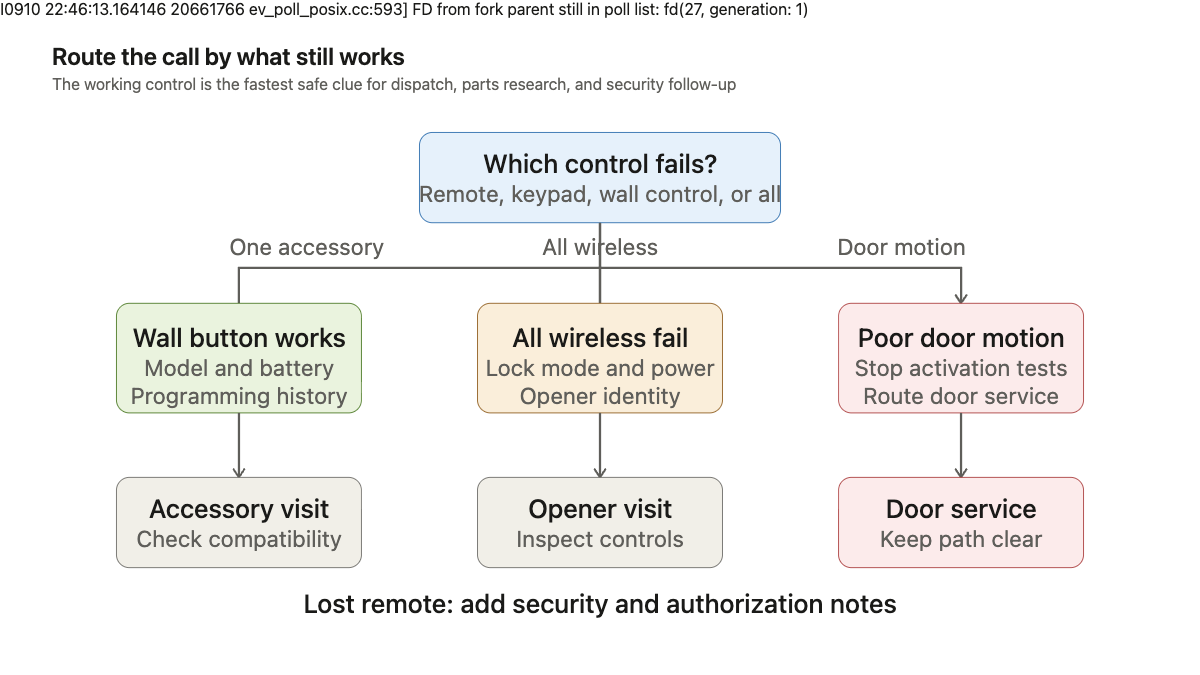
Avoid reading generic programming steps over the phone before identifying the opener. Learn-button sequences differ, and clearing memory can remove working accessories. That can turn one failed remote into several devices that need to be enrolled again. Use the installed manufacturer’s instructions and the company’s approved support procedure.
Treat a lost remote as an access issue
A remote lost with a vehicle, stolen from an unlocked car, or missing with house keys creates a security concern. Record when and where it disappeared, which garage it controls, whether another entrance into the home is accessible from the garage, and whether the caller is the owner or an authorized property contact.
Do not promise immediate deactivation until the opener is identified and the company confirms its procedure. The caller may request that the lost device be removed from memory, which can affect every programmed remote. Set the expectation clearly: the technician or support process may need to remove existing access credentials and enroll the approved devices again.
Multi-door properties need exact labels. “Left door” changes with viewpoint. Ask whether the caller means the door on the left while standing in the driveway and facing the garage, then record that orientation. For a rental, condominium, or managed property, collect the person authorized to approve access-control changes before dispatch.
A temporary keypad code or smart-access feature may exist on some equipment. Do not advertise or promise one until the installed model and account ownership are confirmed.
Build a work order a technician can use
The appointment note should preserve the caller’s observations and leave diagnosis to the technician. It needs the service address, affected door, safe access instructions, working controls, failed controls, equipment identity, programming history, current door position, and movement report.
Here is a useful handoff:
“Right-hand door when viewed from driveway. Door operates normally from interior wall control and the second car’s remote. Exterior wireless keypad lights after battery replacement but does not activate door. Customer reports it worked before a weekend power outage. Black two-button visor remote for first car also stopped responding. Opener label photo attached; manufacturer visible, exact model pending review. No rough travel, reversal, cable, spring, track, or panel concern reported. No recent opener replacement. Owner will be onsite and can move both vehicles out before testing. Schedule accessory and opener-control assessment; confirm compatibility before quoting replacement devices.”
That note tells the technician what failed and what still works. It also prevents the office from selling an accessory that may not belong to the installed opener.
An AI receptionist can collect these details after hours if its script uses the same stop conditions. It should move the call out of routine accessory booking when the door path is unsafe, the door moves poorly, the wall control also fails, or a lost remote creates an urgent access concern.
A caller may use “remote,” “keypad,” and “opener” as if they mean the same part. The office earns a clean dispatch by separating them, one working control at a time.