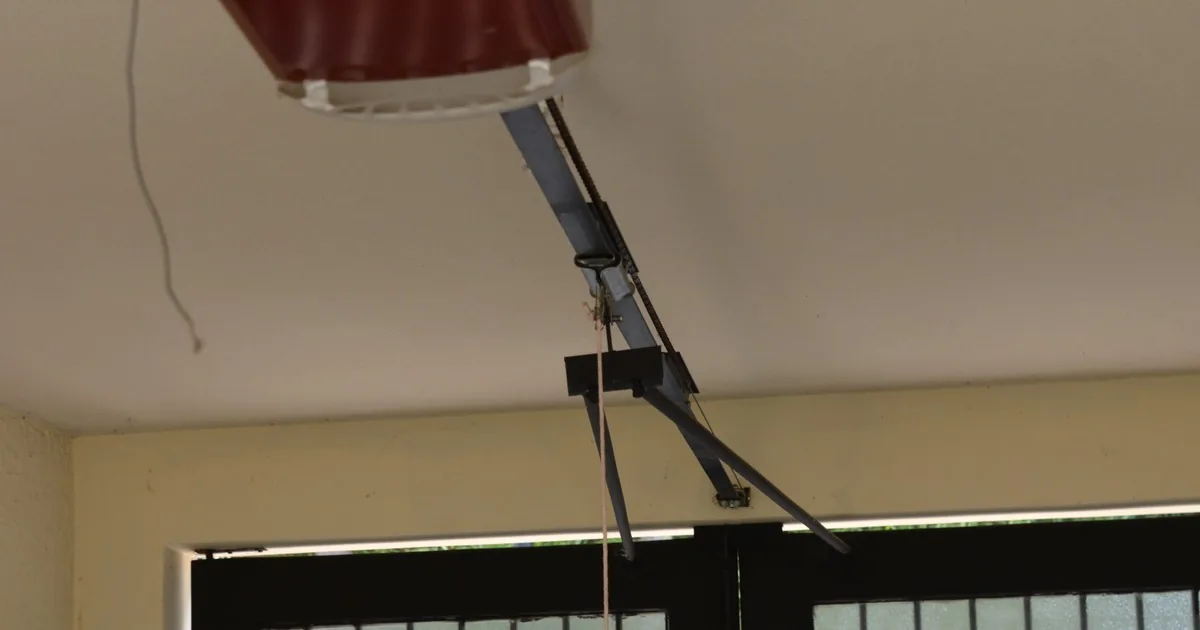
A homeowner presses the remote. The garage door starts down, stops, and returns to the open position. The opener light flashes, one small sensor light looks different from the other, and the caller wants a technician “for a bad motor.” The office should hold off on that diagnosis.
First ask whether the door is level and moving normally on the way up. Then capture where it reverses, whether anything crosses the opening, what the sensor indicators are doing, and whether the wall control behaves differently from the remote. Those observations can separate a likely entrapment-protection issue from a damaged or unstable door without asking the caller to bypass a safety device.
Establish that the door itself is safe to observe
A door that will not close can look like a simple opener problem even when a cable is loose, a roller is outside the track, or one side hangs lower. Start with the physical door. Ask whether it is straight in the opening, whether any panel looks separated, and whether the caller sees a loose braided cable, broken spring, bent track, or displaced roller.
If the door is crooked, suspended, moving on its own, or visibly damaged, stop the sensor script. Tell the caller to keep people and pets away and route the call under the company’s unstable-door policy. The garage door cable call guide covers the observations that belong in a work order when a loose braided cable is visible. A sensor cannot make a mechanically damaged door safe to test.
Also screen for immediate harm. Is anyone trapped or injured? Is a child, pet, vehicle, ladder, bicycle, storage bin, or cord in the opening? If someone is in danger, follow company policy for emergency services before booking repair. If the scene is stable, continue with observations that can be made from outside the door’s travel path.
Record exactly what happens during a close attempt
“Won’t close” hides several distinct behaviors. The door may never start down. It may move a few inches and return. It may travel almost to the floor before reversing. It may reach the floor and rise again. Or it may close only while the wall button is held. Do not collapse those into one checkbox.
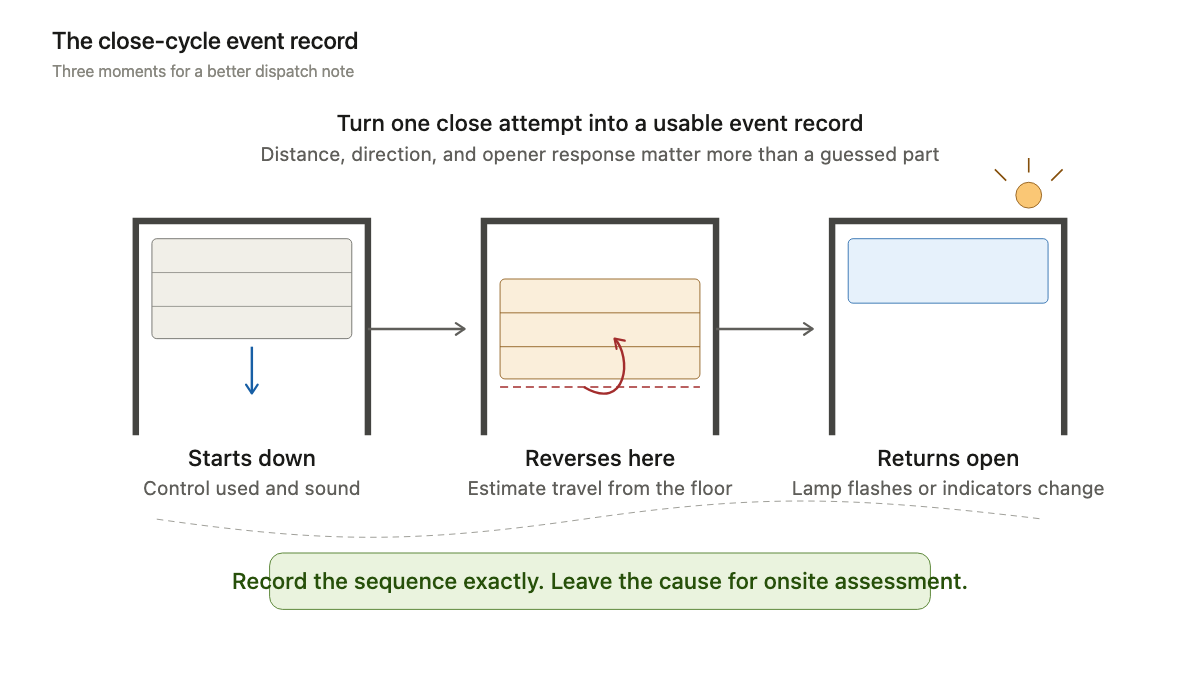
Ask which control was used: handheld remote, exterior keypad, wall control, vehicle control, or app. Record whether the opener motor runs, whether the door moves, how far it travels, and whether the opener lamp flashes afterward. If the caller already counted flashes, keep the count and opener brand in the ticket. Do not promise that one flash pattern means the same thing across every make and model.
A useful note sounds like this: “Door opens level with the remote. On close, it moves about six inches, returns fully open, and the opener lamp flashes. Wall control produces the same behavior.” That gives the technician an event sequence. “Motor bad” gives them somebody’s guess.
Observe the sensor line without coaching a bypass
Photoelectric sensors are usually mounted near the floor on opposite sides of the opening. One sends a beam and the other receives it. CPSC’s rule for automatic residential garage door openers manufactured for sale in the United States on or after January 1, 1993 added entrapment-protection requirements, including an external device such as an electric eye or an allowed constant-contact control arrangement. DASMA says photoelectric eyes should be installed no higher than six inches above the garage floor.
Ask the caller to stand clear and look across the bottom of the opening. Is a trash can, rake, box, hose, leaf pile, snow ridge, cobweb, or parked tire crossing the line between the sensors? Are both sensor housings still attached to their brackets? Does either bracket look bent or recently bumped? Has anything changed near the floor since the door last closed normally?
The front desk can request gentle observation and a wide photograph. It should not tell a caller to tape a sensor, aim it by hand during door movement, splice a wire, alter force or travel settings, or defeat the beam. Manufacturer instructions are model-specific, and a service office cannot see the full opening over the phone.
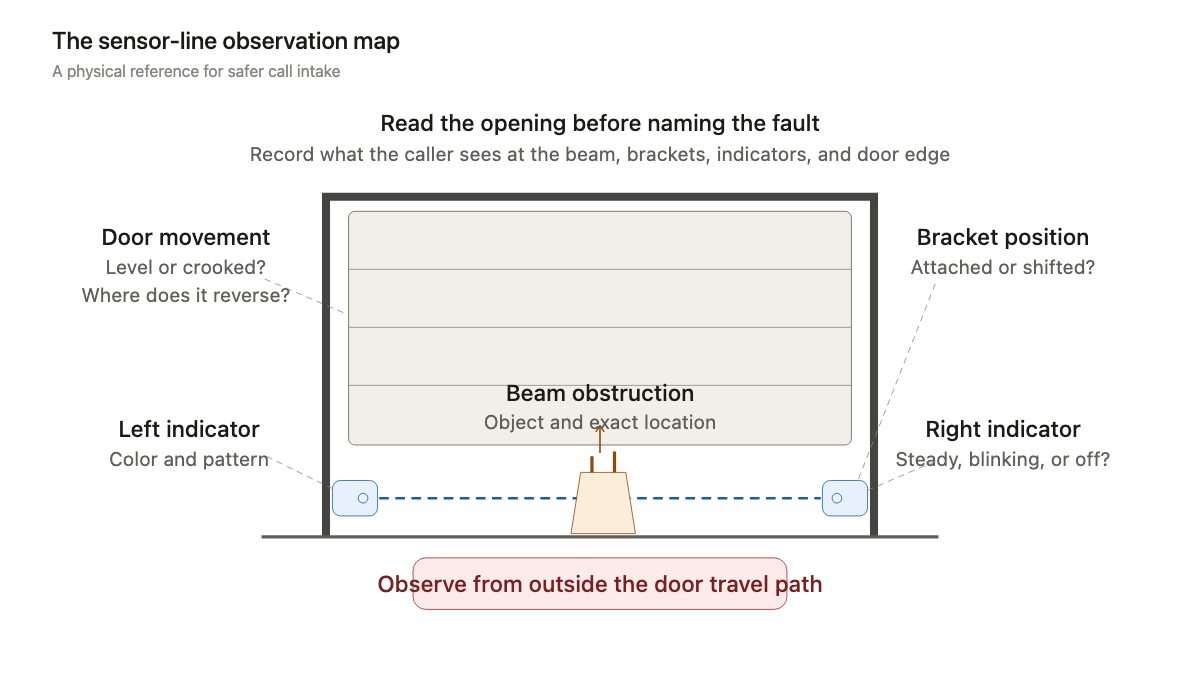
Capture indicator lights in the caller’s own words
Indicator behavior is useful when it stays descriptive. Ask whether each sensor shows a light and whether that light is steady, blinking, dim, or off. Record the color as the caller sees it. Then collect the opener brand and model from an accessible label, if one can be read without standing beneath the door or climbing.
Do not translate every green, amber, or red light into a universal finding. Genie’s Safe-T-Beam troubleshooting table, for example, assigns different combinations and blink patterns to normal operation, alignment, obstruction, wiring, interference, and sensor faults. Another manufacturer may use different indicators. The safe work order preserves the make, model, side, color, and pattern so the technician can consult the correct manual.
Sunlight and timing matter too. Ask whether the failure happens all day or mainly when direct sun reaches one side of the opening. Note recent cleaning, storage changes, water intrusion, landscaping work, painting, or an impact near a bracket. These details do not prove a cause. They help a technician reproduce an intermittent complaint.
Separate beam interruptions from contact reversal
A photoelectric beam can stop or reverse a closing cycle before the door touches an object. The opener’s contact-reversal function addresses a different event: resistance at the moving door. CPSC urges owners to test reversing features according to the manufacturer’s recommendations and have a failed system adjusted under the manual or inspected professionally. DASMA likewise recommends trained service when sensitivity needs adjustment.
For intake, ask where the door changes direction. Does it reverse high in the opening before touching anything? Does it travel near the floor first? Does the bottom seal contact a raised slab edge, frozen threshold, object, or uneven surface? Does the door make a scraping or binding sound? Record the visible event and stop there.
Never ask the caller to place an object under the door as an improvised test during a troubleshooting call. Do not coach force or limit adjustments. If the door contacts an object and does not reverse as expected, or if its movement appears forceful or erratic, stop operation and escalate the safety concern to a trained technician.
Build the dispatch record in one pass
Once immediate safety is covered, collect the job details in a fixed order:
- Service address, caller name, callback number, and whether the caller is onsite
- Current door position, whether it is level, and whether the opening can be secured
- Exact close behavior, reversal point, controls tried, sounds, and opener-lamp response
- Sensor light on each side: color, steady, blinking, dim, or off
- Visible obstruction, dirty lens, shifted bracket, damaged wire, water, or direct sunlight
- Door and opener brand, accessible model information, last normal cycle, and recent changes
- Safe side-door access, vehicles inside, pets, children, tenant traffic, and attached photographs
Request one wide photograph of the full opening from a safe standing point and one zoomed image that includes both the sensor housing and its bracket. A tight image of an LED without the bracket or floor context is less useful. If taking either picture requires crossing beneath the door, skip it and say why in the ticket.
The note should preserve uncertainty: “Receiving-side light appears green and blinks; leaf pile was removed from the beam path, but the door still reverses about six inches into travel.” Do not rewrite that as “bad receiving sensor.” The first version can be checked. The second can send the wrong part to the job.
Set the appointment around inspection, not a promised sensor swap
Tell the caller that the technician will inspect the door’s movement, safety sensors, brackets, visible wiring, opener response, and relevant settings for that model. If the company charges a diagnostic fee, give the approved amount and explain what the visit includes. Avoid promising a sensor replacement, circuit board, motor, or same-visit result from indicator lights alone.
A stable door with a repeatable sensor complaint may fit a normal service slot under company policy. A door that is stuck open can also leave the property unsecured, which changes priority even if the mechanism looks level. Use the broader garage door emergency intake guide when exposure, extensive damage, or an unidentified mechanical fault controls the call.
An AI receptionist can follow the same script after hours and pass the observations to dispatch. The script should keep the boundary firm: describe the cycle, inspect from a safe position, record the indicators, and leave diagnosis or adjustments to the technician.
The final work order should let the technician picture one complete close attempt before reaching the driveway. Door level. Six inches of travel. Full reversal. Lamp flashes. Left indicator steady, right indicator blinking. No object in the beam. That is enough to prepare for the visit without turning the caller into the repair crew.