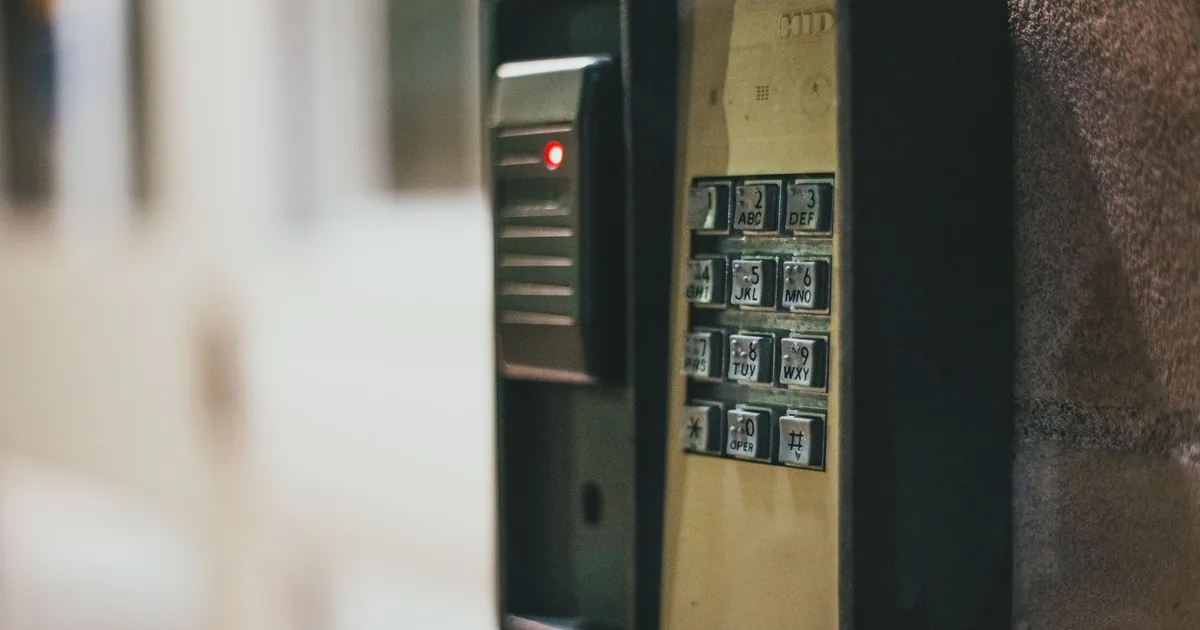
A homeowner calls at 2:13 a.m. because a keypad chirps every few seconds. The siren is quiet, the display says “trouble,” and the caller has already pressed several keys found in an online forum. They want the noise stopped. The service office first needs to establish whether this is a trouble alert, an active alarm, an entry delay, or a separate device such as a smoke alarm.
A useful alarm system trouble-beeping intake captures the exact sound source, display text, indicator lights, panel make and model, power and communication status, affected zone, recent changes, monitoring status, and whether the system can still arm. Reception can help the caller use published instructions for the identified model or arrange service. It should not guess a universal silence code, ask someone to open a live control cabinet, or treat a quiet siren as proof that protection is working.
Identify the device that is making the sound
“Alarm is beeping” may describe a wall keypad, a smoke or carbon monoxide alarm, the control cabinet, a plug-in power supply, a wireless sensor, an access reader, or another appliance nearby. Ask the caller to locate the sound without climbing, removing covers, or touching exposed wiring. Record the room and device in their own words.
Then separate the audible pattern. Is it one short chirp at a regular interval, a rapid series, a steady tone, a spoken alert, or a full siren? Is the sound coming from every keypad or one device? Did it begin after a power outage, internet change, storm, renovation, new router, phone-service change, or battery replacement?
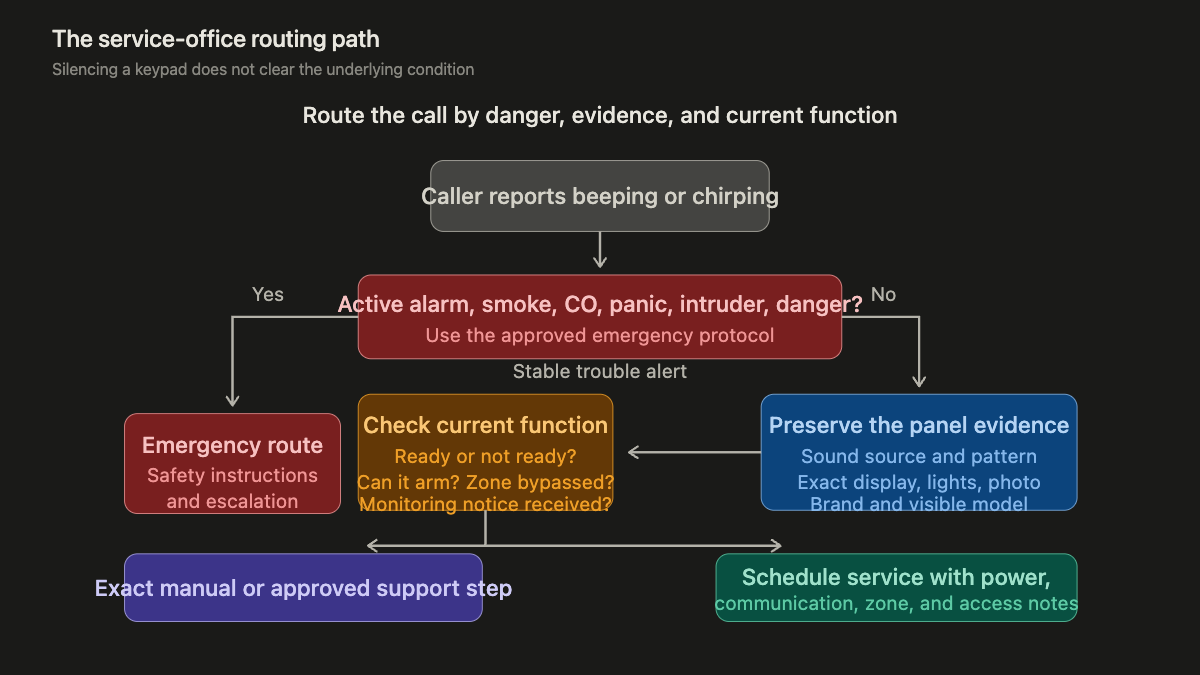
Fire, carbon monoxide, panic, medical, and active burglary signals stay under the company’s emergency protocol. If the caller reports smoke, fire, a gas odor, symptoms, an intruder, or another immediate danger, the receptionist should stop ordinary troubleshooting and follow the approved emergency route. A trouble light and periodic keypad chirp are a different class of call, but the office should confirm that distinction before discussing a service slot.
Read the display before interpreting the beep
Ask the caller to read every word, abbreviation, number, icon, and light visible on the keypad. Keep the transcription literal. “BAT,” “AC,” “COMM,” “CHECK 09,” “TLM,” and a triangle icon may carry model-specific meanings. The same color or beep cadence does not mean the same thing across every manufacturer.
The DSC PC4020 instruction manual offers a useful example. On that panel, a trouble condition turns on the Trouble light and produces a keypad beep every ten seconds. The manual tells users how to view trouble conditions and distinguishes AC power trouble from telephone-line trouble. It directs persistent conditions to the installer. That sequence belongs to the PC4020 family. It is evidence for collecting the panel identity, not a script to apply to every alarm.
Request a clear photograph of the full keypad and its display if the caller can take one safely. A tight crop of one icon loses the make, housing, other lights, and surrounding text. Ask for the brand and model from a visible label. Do not direct the caller to remove a keypad, detector, transformer, or cabinet cover to find it.
Treat the keypad as the messenger
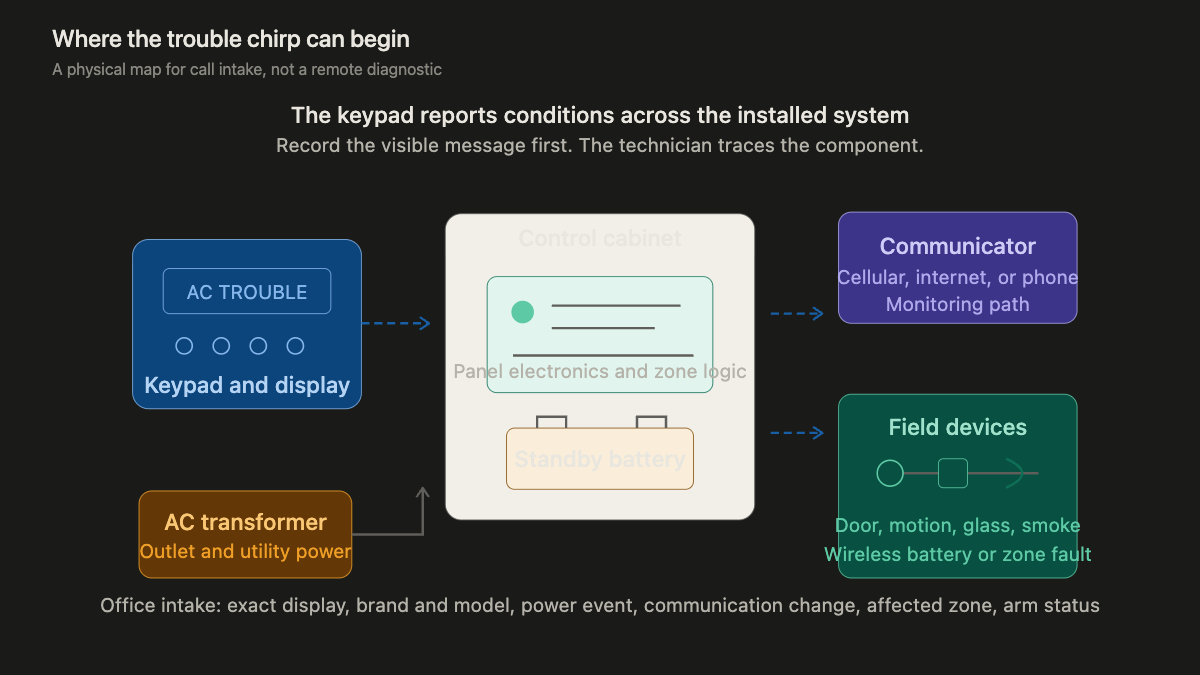
The keypad may be sounding because the control panel detected a condition somewhere else. The main cabinet can contain the control electronics and standby battery. Other parts of the system may include an AC transformer, cellular or internet communicator, telephone connection, wireless receivers, sirens, and field devices assigned to zones.
Honeywell Home’s low-battery support note says a main-panel low-battery message can point to the battery in the panel box, which is often in a utility room, closet, or attic. The company directs unresolved issues to the installation company or an authorized dealer. The service office should therefore ask whether the display names a main battery or a particular wireless device. Those can require different parts and access.
Power questions should stay observational. Are other lights and outlets working? Did utility power recently fail? Is the alarm transformer visibly plugged in? Has anyone moved furniture, unplugged equipment, tripped a breaker, or worked near the panel? Reception should not ask a caller to probe voltage, handle battery terminals, reset a breaker in a wet area, or open equipment beyond published user instructions.
Communication trouble deserves its own intake line. Ask whether the system uses cellular service, internet, a traditional phone line, or an unknown path. Record router replacement, internet outage, phone-provider change, construction, and recent account or monitoring changes. The FCC’s consumer guide on the 3G phaseout specifically notes that some home security systems and backup communicators used older cellular networks. An older communicator can therefore matter, but the office should verify the installed module before naming a network issue.
Capture what changed before the chirping began
The best clue is often a dated event. Ask when the system last worked without the trouble alert and what happened between then and now. A useful timeline may include a storm at 8 p.m., utility power returning at 9:10, internet equipment rebooting at 9:20, and keypad chirping beginning at 10:05. “Started tonight” is much less useful.
Ask about doors and windows left open, a sensor that was removed for painting, a recently replaced wireless-device battery, dust from remodeling, pest activity near wiring, water near the panel, a new pet, and a zone that has been bypassed. Do not translate those observations into a diagnosis. Write “rear-door contact cover was removed during painting” or “display reads CHECK 07 after router replacement.”
A monitoring provider may also have received a trouble signal. Ask whether the caller received a text, email, app alert, or phone call, and copy the wording. Capture the monitoring company, account holder, callback instructions, and whether the caller has already spoken with an operator. Do not promise that a local chirp was transmitted or that monitoring remains active.
EMC Security’s trouble guide describes main-panel battery, power, communication, and wireless-device battery conditions as common sources of system trouble. It also notes that communication failure may produce beeping. This is solid category-level guidance. The installed panel and service record still control the diagnosis.
Route by current function, not by annoyance level
A caller who cannot sleep may describe the problem as an emergency. The office still needs to distinguish comfort urgency from a loss of protection. Ask whether the system can arm, whether any zone is bypassed, whether the display says ready, whether monitoring has contacted them, and whether the property can be secured by normal locks.
Do not tell the caller to keep bypassing a zone, disconnect the transformer, remove the standby battery, cut a wire, factory-reset the panel, or silence a life-safety device. A temporary acknowledgement procedure may be appropriate when it comes from the exact user manual or the company’s approved knowledge base. Record what was pressed and whether the message or light remained after the sound stopped. Silencing a keypad does not clear the underlying condition.
Build a service ticket the technician can use
Collect the ticket in a fixed order:
- Caller, service address, callback number, account holder, and whether anyone is onsite
- Sound source, pattern, start time, exact display text, icons, lights, and attached keypad photo
- Panel and keypad brand, visible model, monitoring company, and known communication method
- Current armed or disarmed state, ready status, affected zone, bypass status, and whether normal locks secure the property
- Recent power, internet, phone, construction, battery, weather, water, account, or monitoring changes
- Panel location, safe access, pets, gate instructions, business hours, and any previous service on the same condition
The final note should preserve the sequence: “Hall keypad began one chirp every ten seconds after a two-hour outage. Display reads AC TROUBLE. Utility power is back in the house. Keypad Trouble light remains on. System is disarmed and shows ready. No smoke, gas odor, active alarm, or water near equipment reported. Main cabinet is in a dry first-floor closet. Caller has not opened it. Monitoring company has not contacted them.”
That ticket gives the technician a starting point without promising a battery, transformer, communicator, or service outcome. For an existing system under a new provider, use the separate alarm system takeover intake. If the complaint involves an alarm dispatch or repeated activations, the false-alarm service call guide owns that workflow.
An AI receptionist can collect the same observations after hours, provided its script preserves emergency boundaries and model uncertainty. The handoff should end with the actual display, actual sound pattern, and actual system state. Those three details are more useful than “alarm won’t stop beeping.”