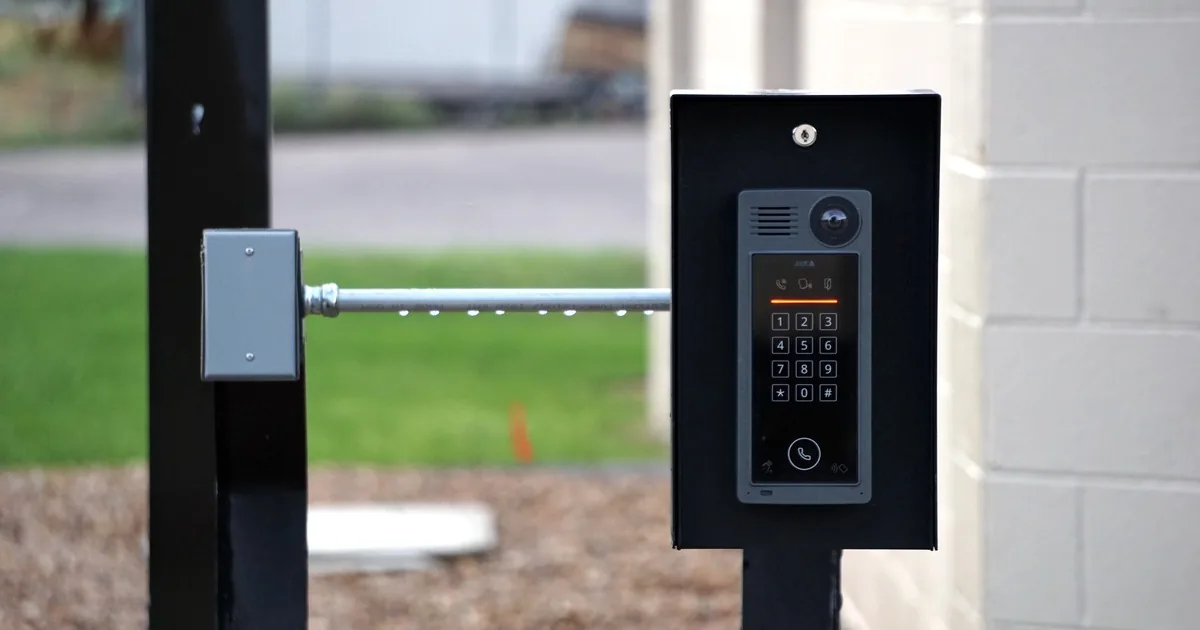
A property manager calls from the entrance lane. Visitors can press the intercom button, the office phone rings, and the gate opens when staff press release. But the visitor hears silence. The caller says, “The speaker is broken. Can you replace it today?”
That description is enough to book an audio problem, but not enough to name a part. The office should first record who cannot hear whom, which answering endpoint is involved, whether the problem happens on every call, and what other gate functions still work. One-way audio, total silence, buzzing, echo, and intermittent dropouts produce different service records.
Keep the call grounded in observations. Do not ask anyone to open the station, touch wiring, stand in an active vehicle lane, share an administrator password, or reset equipment.
Name the failed voice direction
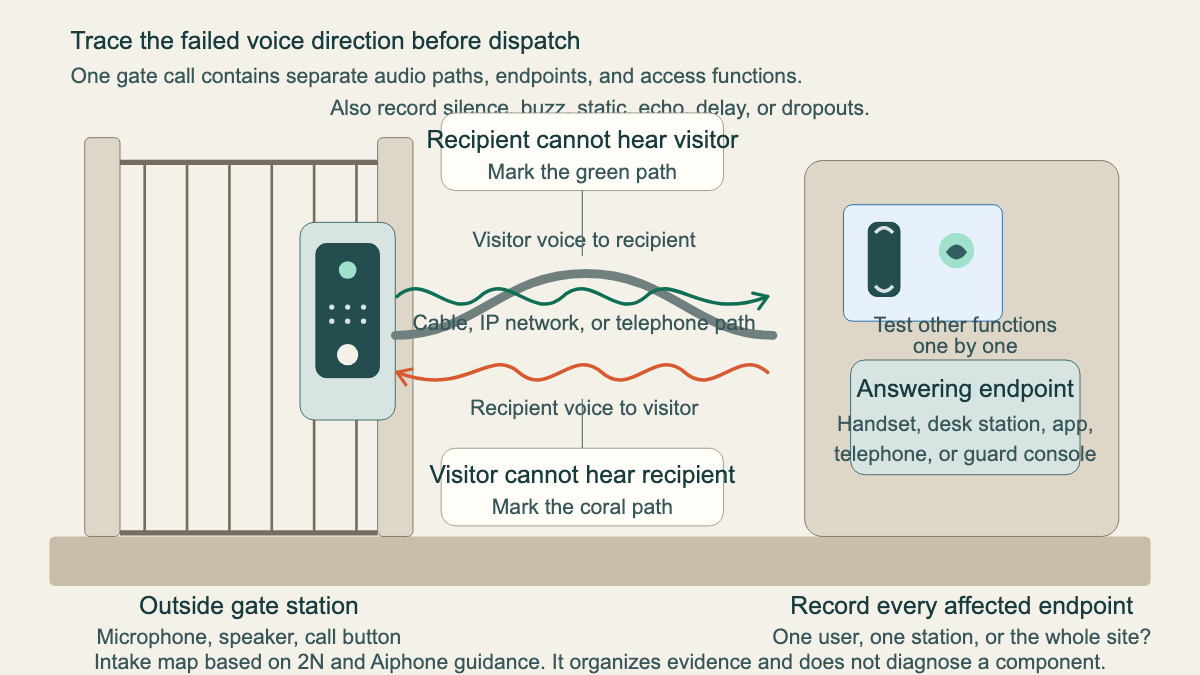
“Audio does not work” can describe two separate paths. The visitor speaks into the microphone at the gate station, and that voice must reach a handset, guard console, telephone, or app. The reply travels back through the system to the speaker outside.
Ask the caller to describe one normal attempt. Who initiated the call? Which device answered? Could the person inside hear the visitor? Could the visitor hear the reply? Did either side hear a tone, click, buzz, echo, or chopped speech?
Use the caller's words in the ticket. “Guard hears visitor clearly; visitor hears no reply at pedestal” is useful. “Bad intercom” is not. If the problem affects only one direction, write that direction at the top of the dispatch note.
A model-specific Aiphone support case documents a system where video reaches the master station while audio at the door station does not. The lesson for intake is simple: one working feature does not prove the rest of the communication path works.
Test each related function as its own result
The intercom may share equipment with video, access control, telephone service, a mobile app, or the gate operator. Record each function separately. Ask whether the call button produces a tone, whether the intended endpoint rings, whether video appears, and whether the authorized user can release the gate through the normal control.
Do not treat a working release command as proof that the gate system is healthy. The audio service ticket should note any movement problem, safety concern, impact damage, or obstruction, then route that issue under the company's gate procedure. The commercial gate operator intake guide covers movement, entrapment, and safe dispatch in more detail.
The same boundary applies when audio works but the caller cannot unlock the entrance. Record what happened without advising the caller to bypass a relay, force the gate, or prop an access point open.
Identify the outside station and every answering endpoint
“Intercom” may mean one pedestal at a vehicle gate, a pedestrian call box, several building entrances, or a directory serving many tenants. The answering side could be a wall master, a desk handset, a landline, a guard console, a resident's phone, or several devices in sequence.
Start with the service address and exact entrance. Ask for the manufacturer and model shown on the outside station, indoor master, controller, or app. A clear photo of an accessible label is helpful, but the caller should not remove a faceplate or enter a traffic lane to get one. Prior invoices, installation records, and equipment schedules may supply the same information.
Then establish scope. Does one tenant have the problem, or every tenant? Does one desk station fail while another works? Can an app user hear the visitor while the guard desk cannot? Does the pedestrian entrance work while the vehicle gate does not? A site with several endpoints needs those comparisons in the ticket.
Exact models matter. In the Aiphone example, an incompatible door station and master station allowed video but prevented the expected audio behavior. That does not mean every one-way audio call is a compatibility fault. It means “Aiphone system” or “IP intercom” is too broad for a part promise.
For older equipment, also ask whether the property wants diagnosis only or is already considering replacement. Keep replacement planning separate from the immediate fault. The intercom replacement consultation guide covers station count, wiring, entrances, access functions, and desired upgrades.
Preserve the sound description
Sound quality is evidence. Ask whether the caller hears complete silence, low volume, a steady hum, crackling, static, echo, delayed speech, clipped words, or audio that drops after a few seconds. Record where the sound is heard and whether it appears in one direction or both.
A 2N intercom noise guide discusses several possible contributors, including connections, corrosion, grounding, electrical or radio interference, feedback, settings, and failed components. These are possibilities for a technician to test. The receptionist should not convert “buzzing” into “bad ground” or “crackling” into “loose wire.”
Timing can narrow the visit without making a diagnosis. Ask whether the audio fails all day or only during busy periods. Does rain, wind, freezing weather, nearby construction, or heavy traffic change it? Did the problem begin after a power outage, router replacement, telephone change, firmware update, gate strike, landscaping work, or service by another vendor?
For an intermittent problem, request one or two recent examples. Capture the date, approximate time, entrance, answering endpoint, caller type, and what each side heard. A short recording may help if company policy allows it and all applicable notice and consent rules are followed. Never promise that a recording alone will identify the cause.
Keep credentials and resets out of ordinary intake
Access-control records can contain sensitive information. The dispatcher may need the name of the authorized site contact, but does not need the person's password, gate code, recovery code, or temporary login token in ordinary job notes. Record who can provide approved access when the technician arrives.
A factory reset is also a poor receptionist script. It can remove configuration or create more work. 2N's diagnostic guidance tells qualified users to back up configuration before a factory reset. The same guidance describes product tools for microphone and speaker tests, network checks, event logs, system logs, packet captures, and diagnostic packages. Those steps depend on the product, permissions, and the service company's procedure.
Ask whether a site administrator or IT contact will be available. If the system uses the building network, note who manages it and whether network work occurred before the fault. Do not request the network password.
Build an inspection-ready ticket
Before ending the call, collect the facts in a consistent order:
- Service address, entrance, gate or door designation, and a safe meeting point
- Outside station maker and model, plus label photos or records already available
- Every answering endpoint involved and whether the issue affects one user or the whole site
- Exact failed direction, sound description, first known failure time, and repeat pattern
- Separate results for call button, ring or notification, video, keypad or reader, and gate release
- Recent power, network, telephone, weather, construction, impact, or vendor changes
- Authorized site contact, IT contact when relevant, access hours, traffic conditions, and test-call availability
Read the core symptom back before booking: “Visitors at the east vehicle gate can hear the guard, but the guard desk hears only static from visitors. Video and release still work. The pedestrian station is normal.” That one sentence gives the field team a reproducible starting point.
Do not promise a microphone, speaker, cable repair, network change, compatibility fix, or replacement station before inspection. The technician may need to compare endpoints, review approved logs, test the audio path, confirm models, inspect environmental exposure, and reproduce the call under safe conditions.
An AI receptionist can collect this same structure after hours and flag the ticket for the right queue. The script still needs the same boundaries: preserve observations, protect credentials, and leave diagnosis with the qualified service team.
Leave the technician a scene they can reproduce
A strong final note might read: “East vehicle gate, Building C. Visitor audio to guard desk fails on every test; guard audio back to visitor is clear. Guard hears steady static, then silence. Video, keypad, and authorized release work. Pedestrian entrance is normal. Problem first noticed after Tuesday's power outage. 2N model photo and prior invoice attached. Property manager and IT vendor available after 9 a.m.; meet inside lobby and avoid testing during school drop-off traffic.”
That note does more than label a broken intercom. It tells the technician where the voice disappears, what remains functional, who controls access, and when the fault can be reproduced without turning the entrance lane into a test bench.