A property manager calls at 6:40 a.m. The sliding gate stopped halfway across the driveway, delivery trucks are stacking up, and a tenant says the photo eye “must be bad.” That last detail may be useful. It is not the first question.
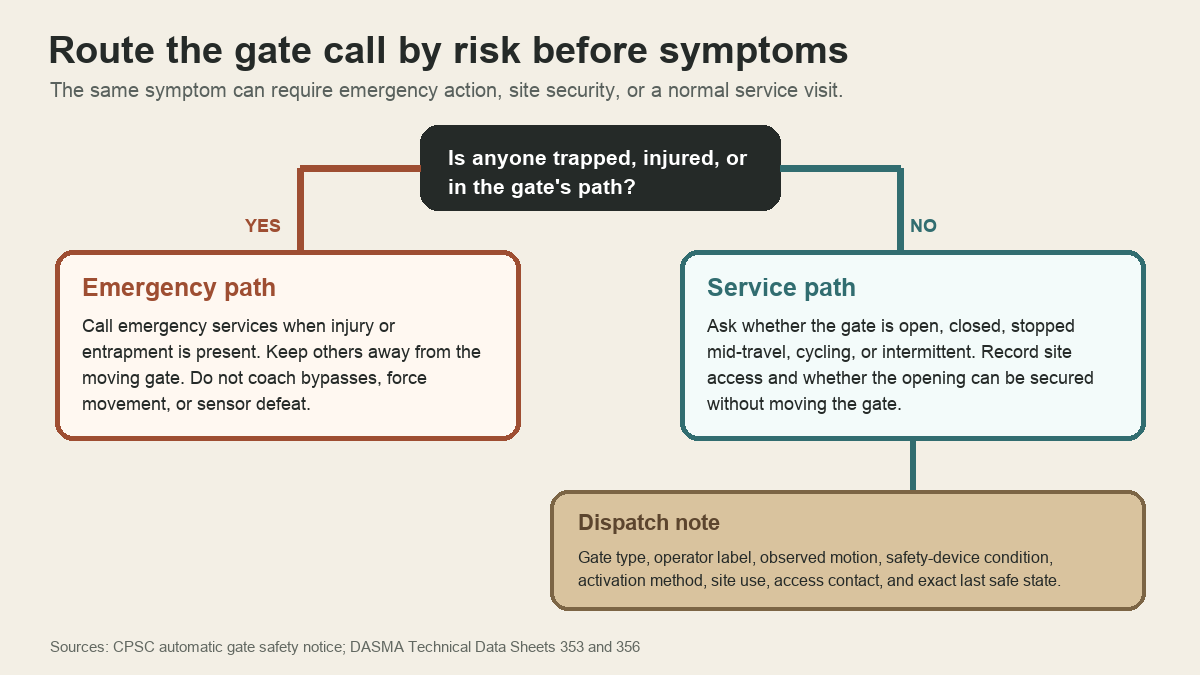
Ask whether anyone is trapped, injured, touching the gate, or standing in its path. If a person is trapped or hurt, direct the caller to emergency services and tell everyone else to stay away from the moving system. Do not troubleshoot. If nobody is in danger, record the gate's exact position, what it did before stopping, whether the opening can be secured safely, and how a technician can reach the equipment without asking anyone to move the gate.
A strong commercial gate operator service call intake follows that order: people, site security, observed condition, equipment, access, then scheduling. The office prepares a safe dispatch. Diagnosis stays in the field.
Ask about people before equipment
Automatic vehicular gates are heavy moving barriers. The U.S. Consumer Product Safety Commission's automatic security gate notice describes fatal entrapment incidents and the safety purpose behind stronger gate-operator requirements. A call handler does not need to identify an entrapment zone to act on a report that someone is pinned, injured, or unable to move away.
Use plain questions. Is anyone caught between the gate and a post, wall, fence, vehicle, or other fixed object? Did the gate strike anyone? Is a person inside the gate's travel area now? Is the gate moving on its own, cycling repeatedly, or making an alarm sound?
When the answer points to immediate danger, emergency response comes before a repair slot. Keep bystanders out of the opening and moving path. The office should never coach a caller to pull wires, cover a photo eye, hold a control, release a drive, push a powered gate, or reach through fencing to operate a device. Those instructions can expose the caller to movement they cannot predict.
Record the gate's exact last safe state
“Gate broken” gives the technician almost nothing. Ask the caller to describe what can be observed from a safe location.
Start with position. Is the gate fully open, fully closed, or stopped partway? For a sliding gate, note roughly where the leading edge stopped. For a swing gate, record which leaf moved and whether the other stayed put. For a barrier arm, note whether it is raised, lowered, crooked, or detached. Do not ask the caller to stand near the gate for a better estimate.
Then capture the sequence. What activation method was used: keypad, card reader, remote, vehicle loop, intercom release, timer, building system, or a staffed control? Did the gate begin moving? Did it stop, reverse, hesitate, jerk, drag, or complete one cycle before the problem returned? Was there a power outage, storm, vehicle impact, construction activity, landscaping work, or access-control change before the first failure?
Use the caller's words for sounds, lights, and display messages. “Three beeps, red light on the operator cabinet, gate stopped two feet after opening” is a clean observation. “Bad motor” is a diagnosis unless a qualified technician has already made it.
The last safe state matters to dispatch. A gate stuck open at an unattended warehouse creates a different site-security problem than a gate stuck closed at a staffed loading yard. Ask who controls the property, whether security staff are present, whether emergency or delivery access is affected, and whether the site has an approved procedure for securing the opening. Record the answer. Do not invent a temporary barrier plan on the phone.
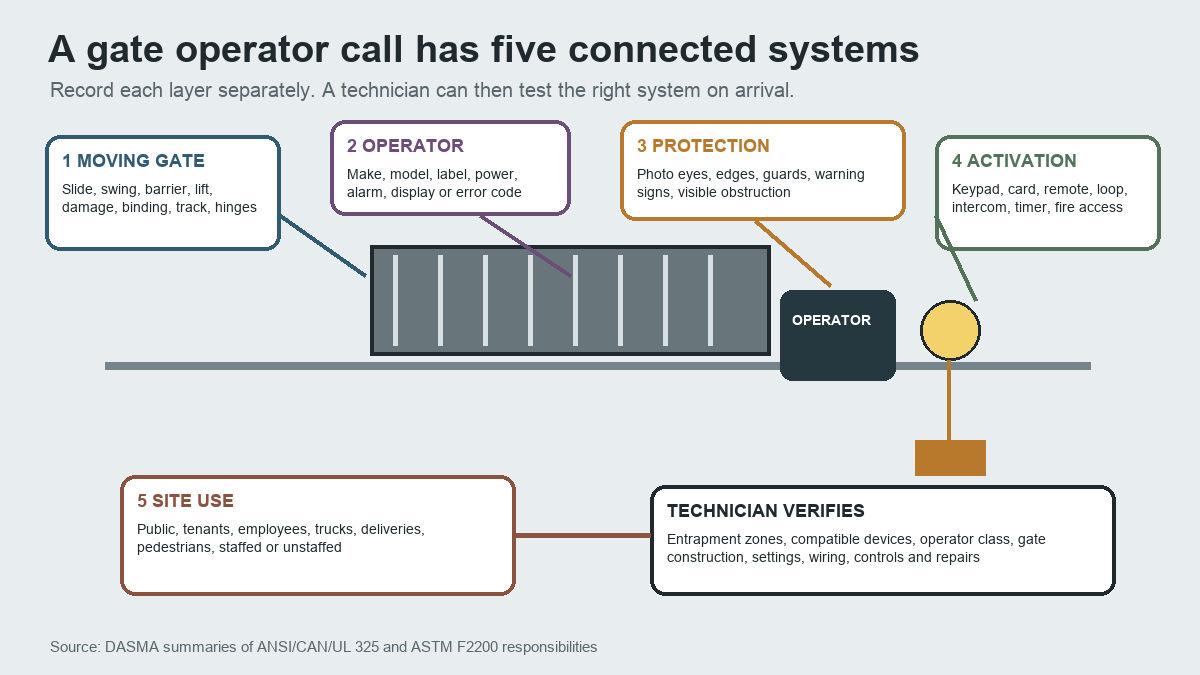
Separate the five connected systems
A powered gate is more than an operator box. The call record should separate five layers so the technician can see where the caller's observations belong.
The moving gate comes first. Record whether it slides, swings, lifts, pivots, folds, or uses a barrier arm. Ask about visible impact damage, a gate off its track, sagging, binding, bent hardware, debris, or a changed gap. The caller should observe from clear ground without touching the gate.
Next is the operator. Request the manufacturer, model, and serial label when the caller already has a safe photo or can photograph it without entering the travel area. Note the power condition, alarm, display, and error text exactly. Avoid translating an error code from memory. Current manuals and manufacturer instructions are the technician's reference.
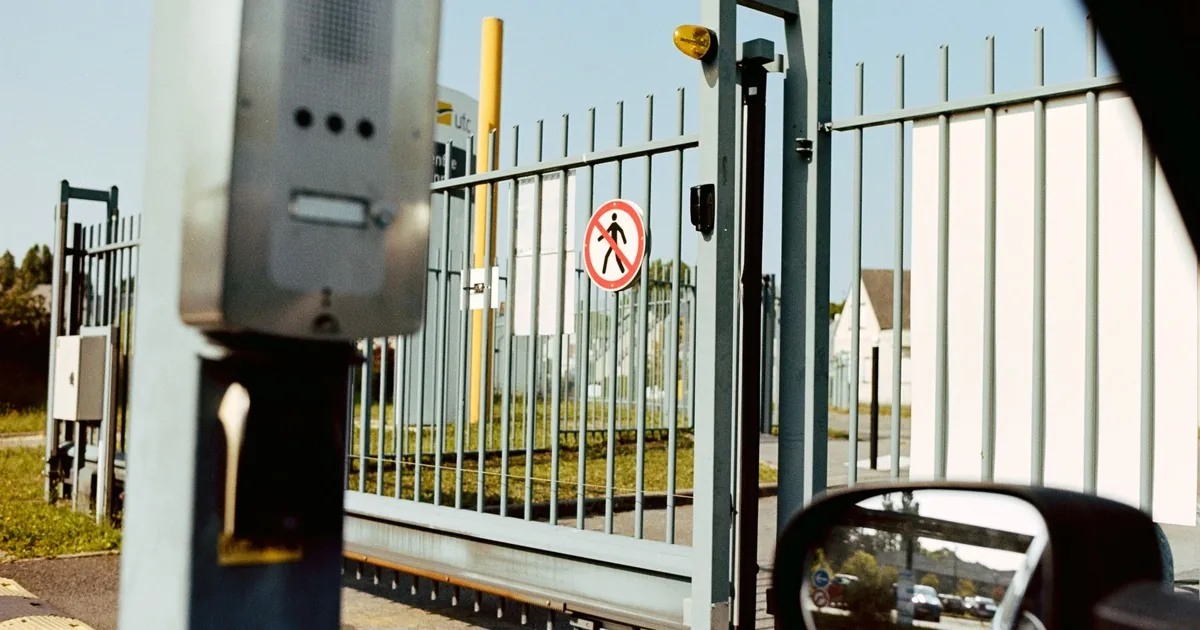
Protection devices form the third layer. A caller may see photoelectric sensors, contact edges, guards, warning signs, or other equipment, but the office should record presence and condition only. The Door & Access Systems Manufacturers Association's summary of ANSI/CAN/UL 325 explains that gate systems use independent entrapment-protection means, monitored external devices, gate-specific construction, warnings, and manufacturer instructions. Which devices are required and compatible depends on the operator and installed risk areas.
Activation is the fourth layer. Record every device involved in the failed event and whether other authorized methods behave differently. That does not mean asking the caller to test them repeatedly. It means documenting whether the issue was reported at a keypad, card reader, remote, loop, intercom, timer, or integrated access-control system.
Site use is the fifth. Is the gate at apartments, a hotel, a retail property, a factory, a loading area, or a guarded restricted site? Is it open to the public? Do pedestrians use the vehicular opening? Are trucks, trailers, buses, bicycles, or emergency vehicles affected? The same gate hardware can sit in very different operating conditions.
Treat pedestrian use as its own safety question
Commercial callers sometimes say, “Everyone walks through that gate.” Record that statement prominently. Do not treat it as a routine access preference.
DASMA's UL 325 summary states that vehicular gate operators are intended for vehicular gates and that separate pedestrian access is needed where pedestrian access is likely. Its gate installation FAQ also treats operator classification, protection devices, control placement, gate construction, and site risk as installation-specific matters.
Ask whether a separate pedestrian entrance exists, whether it is usable, and why people are using the vehicle opening. A locked walkway, broken pedestrian latch, poor signage, or tenant habit may affect the service conversation. The office should route the observation to a qualified technician or project manager. It should not declare the installation compliant or noncompliant from a call.
Keep remote advice inside a hard boundary
A caller may want a quick reset so the morning shift can enter. The safe answer is narrower than most callers expect.
The office can ask for observations from a clear location. It can request existing photos, operator label information, access contacts, and the site's approved security procedure. It can tell people to stay away from a moving or damaged gate and call emergency services for entrapment or injury.
The office should not coach sensor bypasses, wiring changes, force adjustments, control-board changes, repeated cycling, manual release, or movement of a damaged gate. DASMA's TDS 353 says monitored protection functions must not be bypassed, interfered with, or defeated. Even a familiar operator can be attached to a changed gate, damaged hardware, incompatible device, obstructed travel path, or altered access system.
Manual operation also belongs to the site's trained personnel and the manufacturer's current instructions. A phone agent cannot see stored energy, grade, gate weight, traffic, pinch points, damaged rollers, or who may enter the path once the drive is released.
Build a technician-ready handoff
Before choosing the appointment priority, read the record back. A useful dispatch note includes the site address and decision-maker, immediate-risk answer, gate type and position, exact observed motion, operator label, alarms or display text, visible damage, protection-device observations, activation method, pedestrian use, traffic impact, site security, access contact, and photos already supplied.
It should also state what remains unknown. “No operator photo available because cabinet is inside the moving area” is better than a blank field. So is “property manager does not know whether the gate has a separate edge sensor.” Missing information tells the technician what to verify.
For new-system or replacement requests, use the company's normal fence estimate scheduling process. A service failure needs a different record from a project estimate. Manual gate hardware complaints may fit the sagging gate repair intake guide, but powered movement, controls, and protection devices require gate-operator capability.
End the call with the current condition in one sentence: “The horizontal sliding gate is stopped halfway open, nobody is injured or in its path, the public driveway is staffed, card readers and the intercom both fail to move it, the operator shows an unreadable red display, and the property manager will meet the technician at the separate pedestrian entrance.”
That note gives the field technician a safe place to start.