“The panic bar is broken” can mean the push pad will not move, the latch stays retracted, the door opens but will not relatch, or the door never reaches the strike. It can also describe an alarm or access-control problem that began after electrical work. Those calls belong on different tickets.
A safe panic bar repair intake starts with the exit condition. Confirm that nobody is trapped, smoke or fire is absent, and the reported door remains usable for egress. Then identify one opening and record what happens during one normal operating cycle. Do not ask the caller to remove a cover, adjust hardware, defeat an alarm, or improvise a lock.
Screen the exit before discussing an appointment
Ask whether anyone cannot get out through the reported door. Is there smoke, fire, an active evacuation, or another immediate danger? If so, follow the company’s emergency policy and direct the caller to emergency services. A routine service window is beside the point when occupants face an active hazard.
The OSHA exit-route rule says employees must be able to open an exit-route door from inside without keys, tools, or special knowledge. It also says a device or alarm cannot restrict emergency use of the exit route if that device fails. Reception does not decide which building or fire code applies. The rule still gives the office a firm boundary: treat a blocked or unusable exit as a safety condition, not an ordinary lock complaint.
Ask whether the door is being held open, chained, barricaded, or secured with an added lock. Record what the caller reports, but do not endorse the arrangement. If the business has closed the opening, note who made that decision and whether the site’s fire-safety contact or property manager knows.
Fresh forced-entry damage needs its own flag. Ask whether the door, frame, glass, exterior trim, or nearby wall was struck or pried. Follow the locksmith’s policy for police reports and scene preservation. The caller should avoid cleaning or dismantling damaged hardware before the technician sees it.
Give the opening an exact name
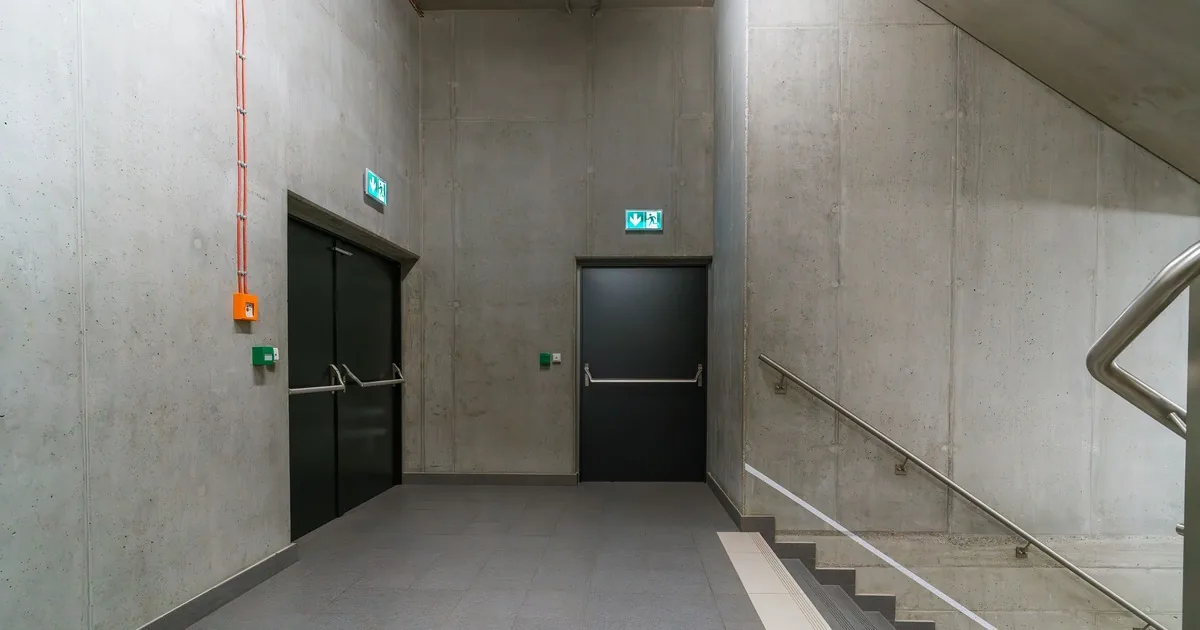
“Back exit” is rarely enough in a school, restaurant, warehouse, or medical office. Name the opening by location and travel direction: kitchen exit to the alley, east stair door at level two, warehouse shipping exit, or lobby door leading to the exterior stair.
Record whether the opening has one leaf or a pair. If it is a pair, which leaf carries the push device? Does the other leaf have a second device, a removable mullion, or visible top and bottom latches? Ask only for observations the caller can make without touching anything beyond normal use.
A broad photo from the egress side can show the whole door, frame, closer, and push device. A second photo from the opposite side can capture the exterior trim. Close photos may show a manufacturer or model marking, latch position, strike, alarm module, or wire transfer. Photos should exclude access codes, keys, faces, medical information, payment screens, and other sensitive material.
The Von Duprin document library contains model-specific instructions, templates, parts manuals, and service information. That variety matters. A photo and model marking can help a technician prepare, but they do not prove which internal part failed or which replacement is compatible.
Ask whether a fire label is visible on the door edge or frame. Record the wording or request a clear photo. Do not promise that a repair, substitute device, or field modification will preserve a listing. The technician and the applicable authority must make that determination.
Record one normal operating cycle
The cleanest symptom report follows the order in which the opening works. Ask the caller to describe normal use from the egress side, without forcing, repeated cycling, or adjustment.
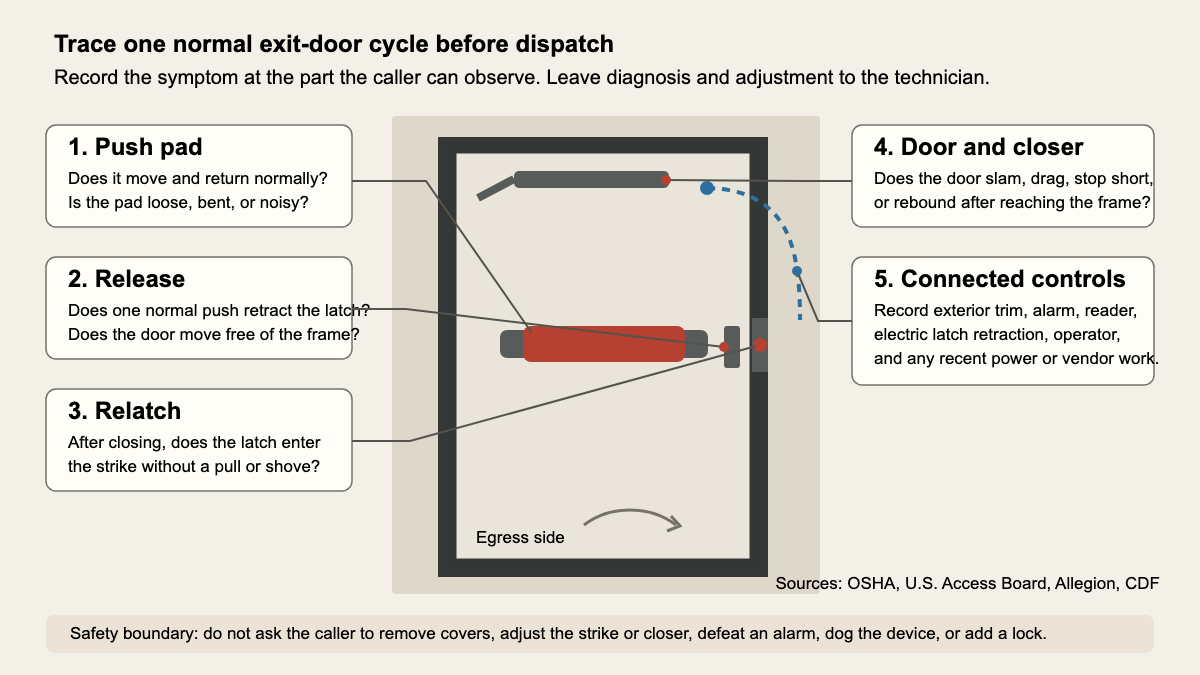
Start with the push pad or crossbar. Does it move through its normal travel? Does it return when released? Is it loose, bent, hanging at one end, grinding, or clicking? If it does not move with ordinary pressure, stop there. The office should never coach the caller to force it.
Next, ask what happens at the latch. Does the latch retract when the pad is pressed? Does the door release from the frame? A device can feel normal at the pad while the door still binds at the latch, strike, threshold, hinge, or frame. Write down the contact point the caller can see or hear.
Then cover the swing. Once released, does the door move freely? Does it scrape the floor, rub the frame, or stop after a few inches? A heavy push pad and a heavy door swing are separate symptoms. The U.S. Access Board door guide treats hardware operation and latch retraction separately from the continuous force used to move the door. Reception should preserve that distinction in the ticket.
Finish with closing and relatching. Does the closer bring the door back to the frame? Does the door slam, stop short, rebound, or need a pull or shove to latch? Does the latch enter the strike, scrape its edge, or remain retracted? This is where a call labeled “panic bar failure” may reveal a whole-opening symptom involving the closer, hinges, door position, strike, or device.
The office records the sequence. It does not assign the cause.
Separate mechanical symptoms from powered controls
Ask whether the opening has an alarm, card reader, keypad, electric latch retraction, delayed-egress equipment, automatic operator, door-position switch, or remote release. Note what changed before the failure: a power outage, alarm test, access-control update, tenant change, construction work, or service by another vendor.
Capture the symptom in plain language. Does the mechanical pad fail all the time, or only when power is on? Is there a beep, alarm, or indicator light? Does exterior credential access fail while inside release still works? Does a remote release click without opening the door? Never ask for an access code or credential.
Record the name and contact details of the person responsible for the connected system. A locksmith may need the property manager, fire-alarm company, access-control vendor, electrician, or building engineer available. Reception should not promise that one trade can resolve every connected fault in a single visit.
Exterior entry deserves a separate line too. Ask whether the outside trim is a lever, pull, keyed cylinder, keypad, reader, or blank plate. State whether the outside problem affects entry only while inside release still works. This keeps a credential complaint from being merged with an egress complaint.
Collect site access and authority before dispatch
Commercial openings involve more people than the caller. Identify the on-site contact, the person authorized to approve work, the billing contact, and the party that controls the building. A tenant manager may report the symptom while a landlord must approve changes to the door.
Ask when the space is occupied and whether the technician can reach both sides of the opening safely. Note loading schedules, school dismissal, patient hours, kitchen service, alarm arming, security escorts, or restricted areas. The technician may need a quiet window to inspect the opening, but the office should not promise that the exit can remain unavailable during that window.
Useful ticket fields include:
- exact opening label, building area, floor, egress direction, and current exit condition
- single or paired leaves, visible device style, latch location, closer, fire label, and approved photos
- push-pad movement and return, latch release, door swing, closing action, and relatching result
- forced-entry damage, loose parts, unusual noise, exterior-trim behavior, and any unsafe temporary condition
- alarm, reader, electric controls, automatic operator, recent vendor work, and the connected-system contact
- site contact, repair authority, billing contact, access instructions, occupancy schedule, and emergency escalation already taken
Explain the service or diagnostic charge under the locksmith’s policy. If the device cannot be identified, say the technician will inspect the opening and confirm the repair scope. Avoid a parts promise based on color, shape, or one photograph.
Read back a ticket the technician can use
A strong handoff sounds like this:
“East stair exit at level two is a single hollow-metal door that swings toward the exterior stair. No smoke, fire, trapped person, or forced-entry damage is reported. The horizontal push pad moves and returns, and the latch retracts. The door rubs the frame near the top and stops short when the closer returns it. The latch contacts above the strike unless the door is pulled down and inward. An alarm module is mounted above the device, with no recent alarm work reported. A fire label is visible on the hinge edge. The facility manager can admit the technician, has repair authority, and will meet them at the lobby.”
That read-back gives the field technician a location, safety screen, operating sequence, connected equipment, and access plan. It avoids turning a caller’s guess into a diagnosis.
For urgent calls involving someone locked in or out, use the emergency lockout call-handling guide. The locksmith resource hub covers other commercial and residential call types.
An AI receptionist can collect these bounded observations after hours under the locksmith’s routing rules. The standard stays the same: one named opening, one normal operating cycle, and a clear safety boundary before anyone loads a part onto the truck.