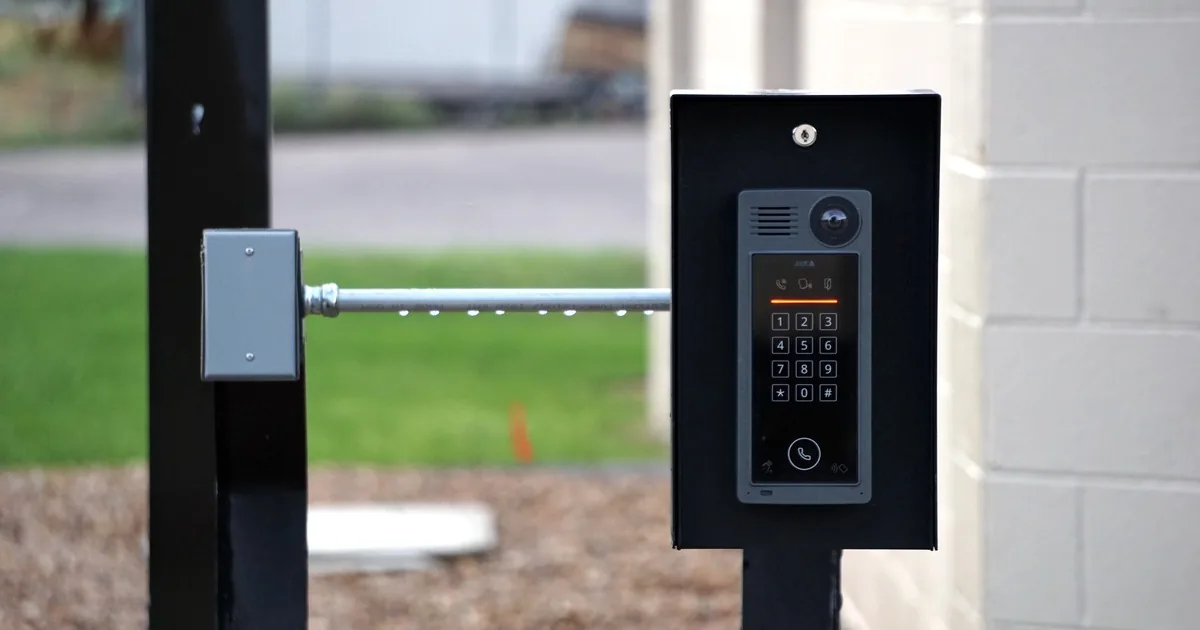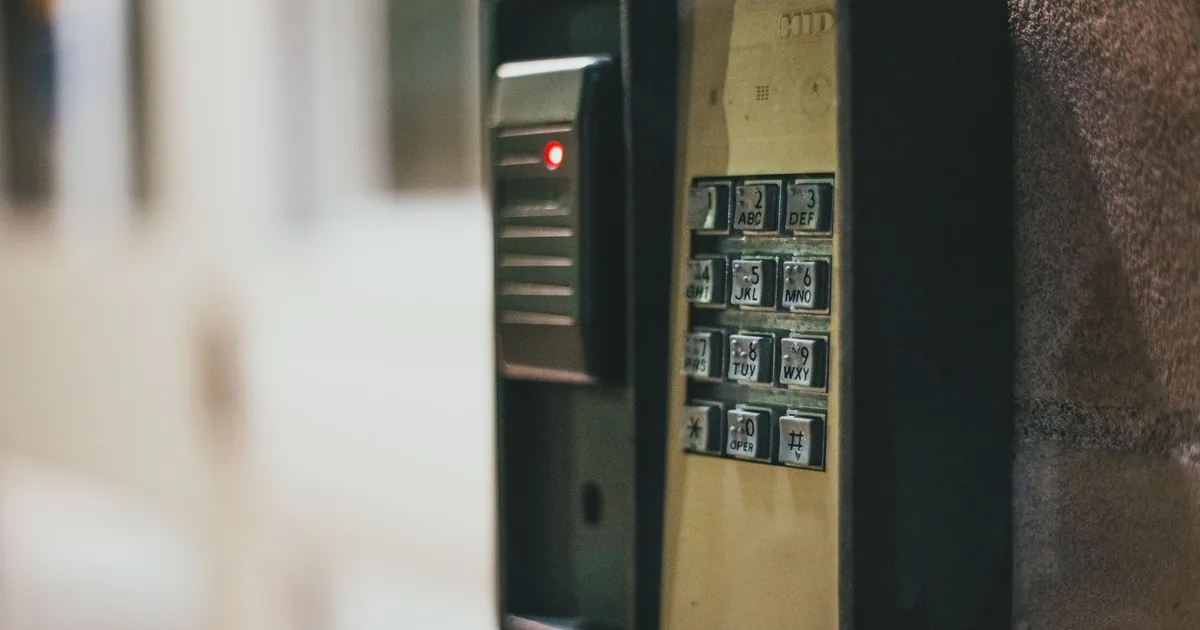
A caller says she bought a smart lock and wants it installed Friday. The box is still sealed. She knows the door is wood, but she cannot say whether the current hardware is a single deadbolt, an interconnected handleset, or a mortise lock. Her tenant has the only working key. The property owner, who lives in another state, expects to control the app.
That is not a simple installation appointment yet.
Start a smart lock installation call with two separate records. The physical record covers the exact product, door, current hardware, bore pattern, backset, strike, alignment, and finish. The access record covers account ownership, recurring users, temporary users, connectivity, backup entry, and who removes access later. A photo set can answer much of the first record. A short ownership conversation answers the second.
The office should book compatibility confirmation until the selected lock and door opening have been checked together. “It replaces a deadbolt” is too loose for dispatch.
Identify the product before discussing fit
Ask for the manufacturer, exact model, package label, and whether the caller already owns the lock. Product families that look similar can support different door thicknesses, bore sizes, account features, and network arrangements. A model name such as “Halo Touch” or “Encode” is useful. “A Wi-Fi keypad lock” is a category.
If the caller has not purchased a product, move the conversation toward requirements. Do they want keypad entry, phone control, a physical key, scheduled guest access, activity history, integration with another system, or local operation without remote access? Who will use it? Who will administer it? An installer can then recommend products the company supports and can service later.
If the product is already on site, ask whether it is new, previously installed, open-box, or being moved from another property. Confirm that the interior assembly, exterior assembly, latch or bolt, strike, mounting plate, cable, batteries, keys, screws, and any required hub or bridge are present. Do not promise that a mixed box of parts is complete over the phone. Record what the caller can verify.
The company’s supported-brand policy belongs in the booking decision. An installer who routinely works with Schlage and Kwikset should not arrive expecting the same setup process for an unfamiliar import with no durable instructions or support path.
Turn caller photos into a door record
Request clear photos before the visit when the company’s workflow allows it. The useful set shows the whole door from inside and outside, the current exterior lock, the interior thumb turn or trim, the edge of the open door, and the strike area on the jamb. Add a close photo of the new package label. Keep faces, keys, entry codes, and mail out of the frame.
The photos answer basic routing questions. Is the door wood, metal, fiberglass, glass, or part of a narrow-stile system? Is there one deadbolt bore above a separate knob, a connected handleset, a mortise case, a rim lock, or multipoint hardware? Is decorative trim close enough to interfere with a larger interior battery housing? Does the door have a storm door whose handle may collide with the new lock?
Measurements can help, but the office should name the measurement instead of asking, “What size is the lock?” Door thickness is measured across the slab. Backset runs from the door edge to the center of the main face bore. The face bore and edge bore are separate openings. The strike pocket is in the jamb.
Schlage’s Encode door-preparation instructions require checks for door thickness, backset, hole sizes, and jamb preparation. Kwikset’s smart lock guide lists different thickness and bore support across related lock models. Those documents make the right office policy plain: record the dimensions when safely available, then compare them with the exact product instructions.
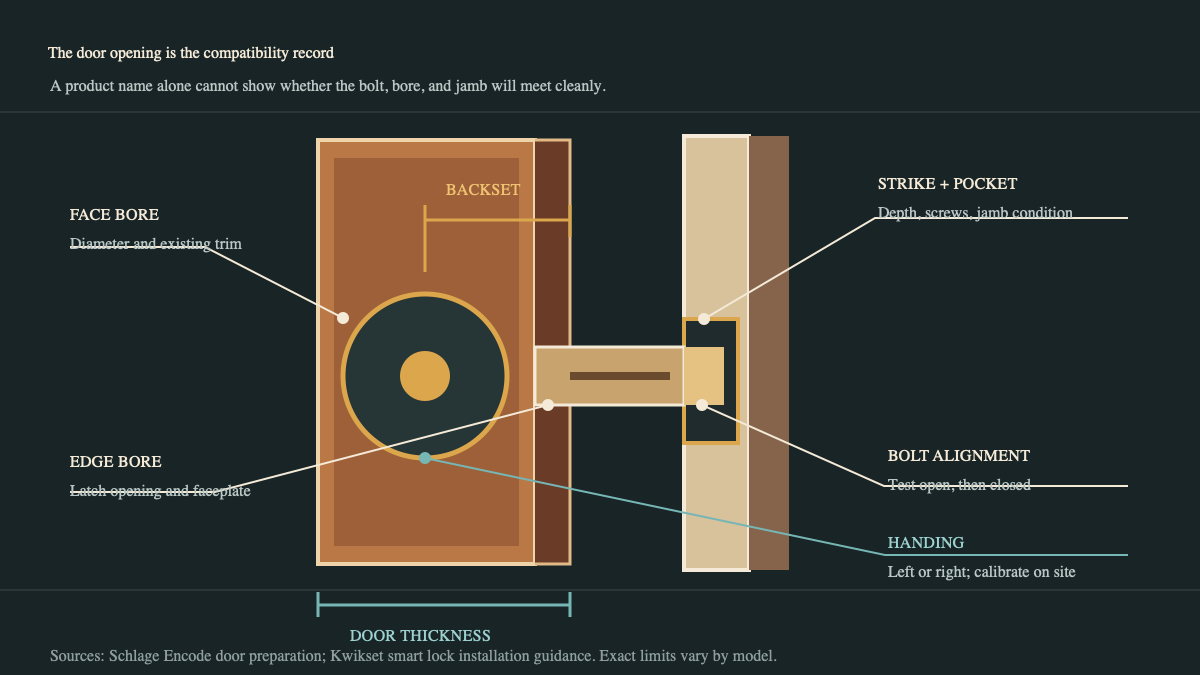
Door condition matters as much as the holes. Ask whether the door latches easily now. Does the deadbolt extend by hand without pushing, pulling, or lifting the door? Does behavior change in wet weather or during a hot afternoon? Is the jamb split, repaired, loose, or covered by metal reinforcement? A motorized lock should not be expected to force a dragging bolt through a misaligned strike.
Kwikset’s guide connects door alignment with motor resistance, jam behavior, and battery burden. Its open-door test is useful for field diagnosis: a lock that operates with the door open but binds when closed points attention toward the opening and strike. The caller can report present behavior. The installer should inspect and correct it.
Separate lock work from door work
The appointment scope changes when existing preparation does not match the new hardware. A direct deadbolt replacement may use the current bores and strike. Other jobs require enlarging a bore, cutting a new edge opening, changing a strike pocket, filling old holes, repairing a split jamb, modifying trim, or replacing a handleset.
Ask one blunt question: “Should we quote installation only, or are you authorizing door preparation and repair if the opening does not match?” The answer belongs in the work order. Renters, property managers, and adult children arranging work for a parent may need written owner approval before drilling begins.
Flag doors with mortise locks, multipoint hardware, panic hardware, fire labels, apartment common-area rules, or commercial access requirements for review. Those details can change product choice and who is qualified to perform the work. The office should avoid promising code, fire, egress, or property approval from a photo.
Handing also belongs in the record. It describes the door’s operating orientation, and some smart locks calibrate after installation. Kwikset calls this process handing or latch calibration. Ask for an inside photo with the door partly open if the team uses photos to identify orientation. Let the installer run the product’s required calibration on site.
Decide who will own the connected lock
A connected lock needs an account owner. That person should be available for setup, recovery, permissions, and future removal. The owner may be the resident, landlord, facilities manager, or adult child handling access for a parent. Do not assume the person who placed the call should control the account.
Record the owner’s name and whether that person will be on site or reachable. Record whether a compatible phone and the correct app can be ready. If remote features require home internet, ask whether the intended network reaches the door and whether the owner can complete connection steps. Never ask the caller to dictate a Wi-Fi password, account password, one-time verification code, or permanent door code for the job note.
CISA’s guidance for new internet-connected devices recommends strong passwords, multi-factor authentication when available, reviewed security settings, and current software. Those controls should stay with the customer. The installer can guide setup without taking custody of credentials.
The work order should state what “finished” means. For one customer, it means the lock fits, the bolt moves cleanly, and a physical key works. Another expects app pairing, firmware updates, a recurring household user, a timed guest user, and integration with a supported home platform. Price and appointment length can differ because the scope differs.
Build the access handoff before the appointment
Ask who needs access on day one and what kind. Keep the answer in roles, not secret codes. The office might record “owner plus two household users, weekly cleaner on Tuesday mornings, and physical backup key held by the owner.” The customer creates the actual credentials during setup.
A complete handoff covers:
- the account owner and any administrator who can add or remove users;
- recurring residents and whether each uses an app, keypad credential, fingerprint, key, or another supported method;
- temporary visitors or service providers, including the intended access window and who will revoke it;
- a backup-entry plan for a dead battery, lost phone, network outage, or account problem;
- the person receiving physical keys, warranty material, model details, and recovery instructions;
- a final test with the door open and closed, plus confirmation that the old hardware and keys were returned or disposed of as authorized.
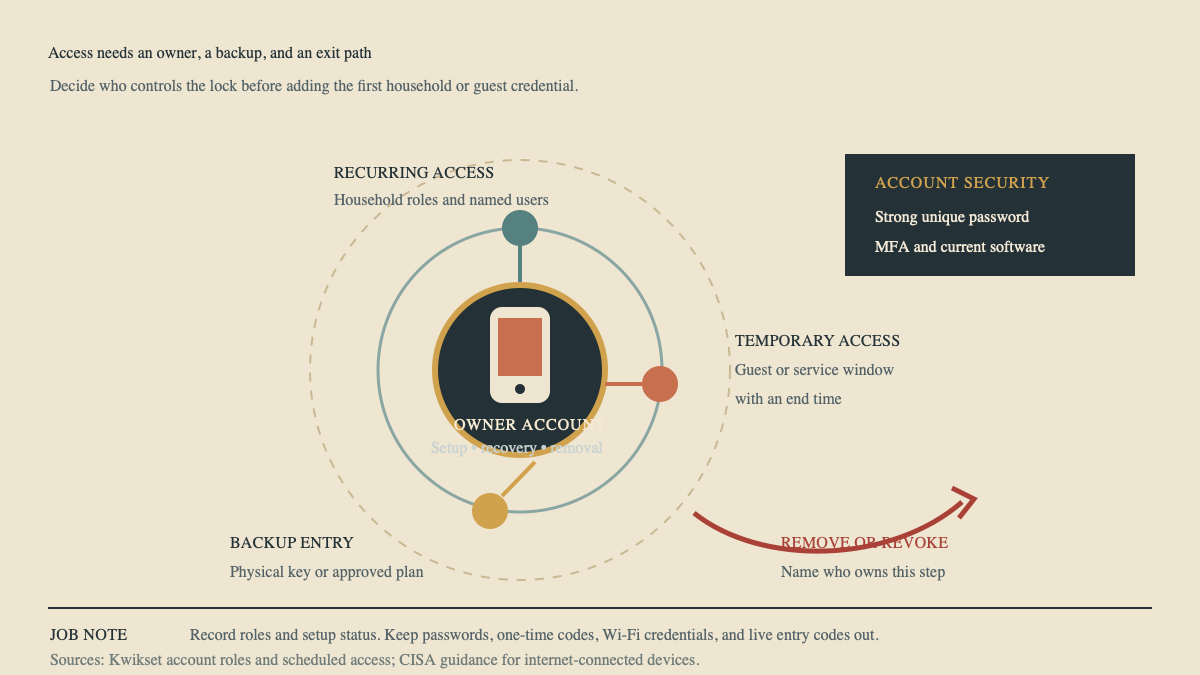
Kwikset’s account-role table shows why the distinction matters. Owners, admins, and members can have different powers over homes, users, schedules, settings, history, and notifications. Other platforms use different names, but the operational question is the same: who can enter, who can manage, and who can remove access?
Route the appointment with a useful first line
The first line of the job note should tell the installer what kind of opening and handoff to expect. “Owner-supplied keypad deadbolt for painted wood entry door; existing separate deadbolt; photos received; door currently needs a push to bolt; out-of-state owner will control app and can join setup by phone; tenant must retain backup key” is useful.
Then choose the route. A supported product on a standard, aligned deadbolt opening may fit the regular installation window. Uncertain bores, dragging hardware, damaged jambs, mortise cases, multipoint systems, commercial doors, or missing owner approval need review. A caller who is locked out right now belongs in the emergency lockout intake workflow, not a future installation slot. A project that also includes cameras or a video doorbell needs the camera and doorbell installation intake.
An AI receptionist can collect model labels, photo status, current hardware, account ownership, access roles, and authorization after hours. The installation decision stays with the trade professional. When the truck arrives, the note should already separate the door problem from the access plan.
Sources
- Schlage: Encode Door Preparation Instructions
- Kwikset: Smart Locks Troubleshooting Guide
- CISA: Secure New Internet-Connected Devices
- The Home Depot: How to Install a Smart Door Lock