“The batteries died, and the smart lock will not open.” A dispatcher still needs to locate the failure. Is the caller outside? Does the keypad light up? Did the app lose contact? Does the lock accept a credential but fail to move the bolt? Was a complete fresh battery set installed, or did someone replace one cell and stop?
Start with access and safety, then identify the exact lock. After that, record the failure in layers: outside interface, connected app, battery pack, motor and bolt, door and strike. Smart locks do not share one battery type, warning pattern, backup-entry method, or reset procedure. A model number turns a vague “dead lock” call into work that can be routed.
Establish the door state before troubleshooting
Ask where the caller is and whether the door is open, closed but unlocked, or locked. Confirm whether anyone is separated from medication, a child, a dependent adult, or a pet. Smoke, fire, a medical emergency, or a person trapped in danger belongs under the company’s emergency policy and local emergency response, not a routine battery appointment.
Find out whether another authorized entrance is available. A resident who can enter through a garage and reach the interior battery cover has a different service need from a tenant standing outside an apartment at midnight. Do not tell a caller to climb through a window, defeat another lock, or enter a restricted area.
If the immediate problem is authorized entry, use the shop’s lockout call workflow. Keep the battery observations attached to that ticket. “Smart lock failed” should not erase the address, caller relationship, identification requirements, meeting contact, and authorization checks that apply to any entry call.
Identify the exact lock on the door
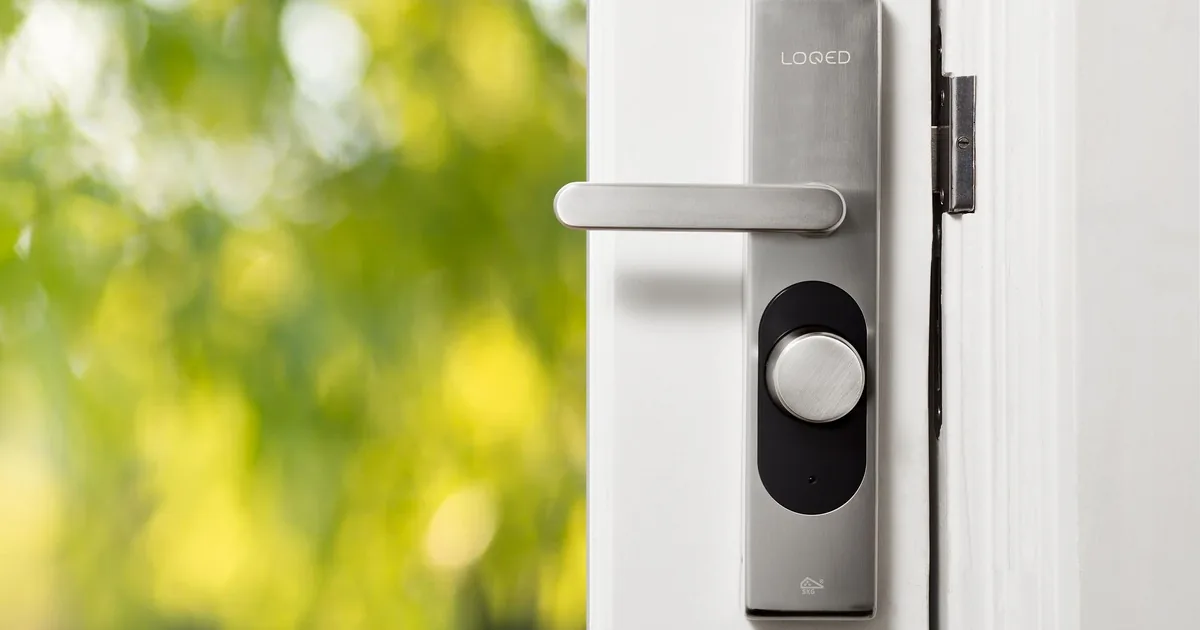
Ask for the brand and model shown on the interior cover, app device page, purchase record, or manual. The outside logo alone may identify a brand without identifying the product. If the caller can safely send photos, request the full door from inside and outside, the exterior keypad or reader, the interior housing, the door edge, and the strike area. Tell them to keep keys, entry codes, QR labels, programming stickers, and account details out of the frame.
Record every available entry method without asking for the credential itself. The lock may use a keypad, fingerprint reader, phone app, fob, mechanical key, or a combination. Write “keypad responds to an authorized code” or “fingerprint reader lights but does not unlock.” Never put the code, app password, recovery key, or a clear key image in ordinary job notes.
A caller may confuse the smart lock with a separate keypad, doorbell, alarm panel, or access-control reader. Ask them to describe what is physically attached to the door and what moves the bolt. The live smart lock installation guide explains why door preparation, hardware type, account ownership, and backup access should be documented at setup. On a failure call, those same facts help identify what is already installed.
Reconstruct the warning and battery change
Ask what happened before the lock stopped working. Was there an app notice, red light, battery icon, beep pattern, slow response, repeated retry, or loss of remote access? Capture the caller’s exact words and the time sequence. A warning that began last week is different from a lock that went silent immediately after a battery change.
Manufacturer guidance shows why reception should avoid translating one signal across every product. Schlage says its smart locks can provide low-battery alerts through the app or an indicator on the lock, depending on the model. Kwikset documents several low-power states for named products, and some functions may become unavailable before the unit reaches a fully exhausted state. The ticket should say what the caller saw, heard, and attempted.
Then document the battery work:
- the battery type printed in the manual or compartment, if the caller can read it safely
- whether every battery was replaced as one fresh set
- the brand or chemistry used, without telling the caller to substitute a type the manual does not approve
- when the replacement occurred and whether the lock worked immediately afterward
- whether any battery was hot, swollen, leaking, corroded, or difficult to remove
- whether the interior cover, tray, connector, or pack appears loose or damaged
A hot, swollen, leaking, or visibly damaged battery needs the company’s safety procedure. Reception should not coach a caller through contact cleaning or internal wiring work. Record the condition and route it.
Locate the failed layer
The useful distinction is where the normal sequence stops. The outside interface wakes first. A connected app or keypad recognizes an authorized request. The battery pack supplies the electronics and motor. The motor drives the bolt. The bolt still has to travel through the door edge and into the strike without binding.
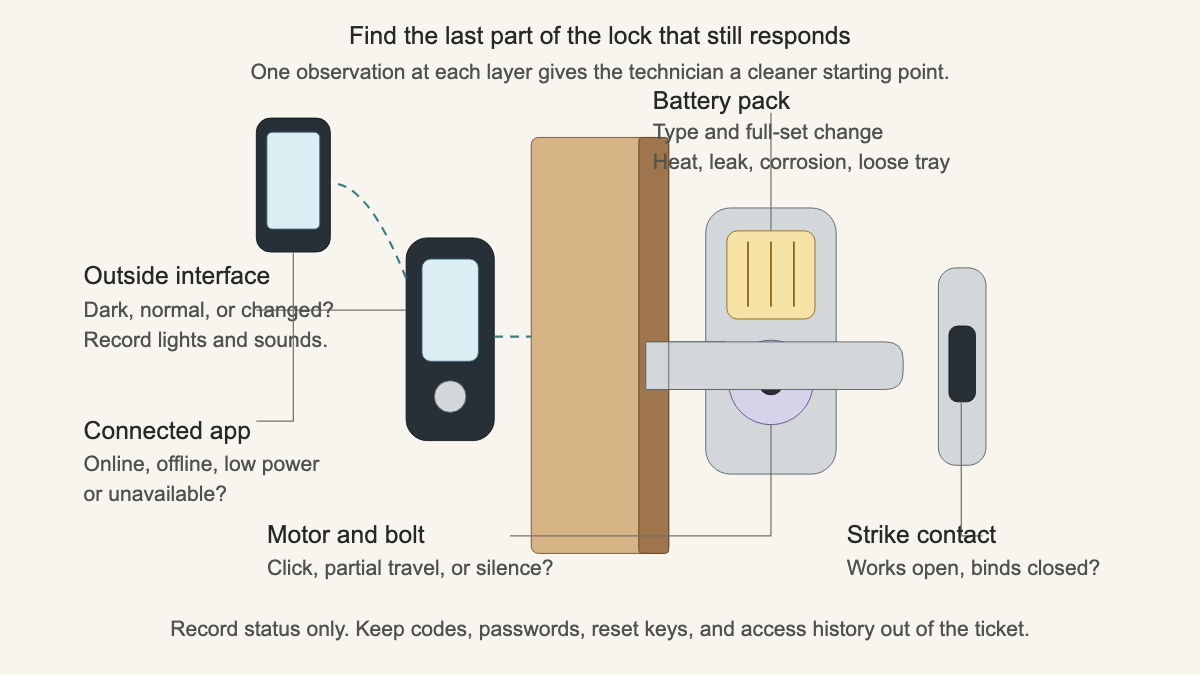
Ask whether the outside interface stays dark, wakes normally, or responds differently than before. Ask whether the app shows the lock online, offline, low on power, or unavailable. Record the displayed status without requesting a screenshot that exposes names, addresses, access history, user lists, or codes.
Listen for movement. Does the lock beep or click? Can the caller hear a motor attempt? Does the thumbturn move? Does the bolt start and stop? “Keypad accepts the code, motor runs for one second, bolt does not retract” is a much better ticket than “battery issue.” The office still leaves the diagnosis open.
Compare open-door and closed-door operation
If an authorized person is already inside and can test the lock without creating a lockout, ask whether the bolt operates with the door open. Stop there if the company’s policy does not permit caller testing. Never ask someone to close and lock the only working entrance merely to reproduce a symptom.
Door fit matters because a motorized bolt has to move through a real opening. Kwikset identifies friction between the bolt and strike as a major contributor to increased battery use. Ask whether the door must be pushed, pulled, or lifted before the lock works; whether the problem changes with rain, heat, or cold; and whether fresh scrape marks appear around the strike. Capture recent hinge work, new weather stripping, a hard door impact, or a lock installation.
Do not decide that alignment caused the drain. A stiff opening, weak power, loose mounting, connection problem, or internal fault can produce overlapping descriptions. The open-door comparison and visible marks give the technician evidence to inspect.
Separate rapid drain from a one-time dead battery
A lock that ran for months and then gave a normal warning presents differently from one that consumes a fresh set within days. Ask how long the prior set lasted, how often the door is used, when rapid drain began, and what changed near that date. Useful changes include a router replacement, app or firmware update, account migration, new automation, new door hardware, weather shift, repeated motor retries, or a recent service visit.
Keep those details tied to the model. Yale, Kwikset, Schlage, and other manufacturers publish separate support paths because their hardware, software, battery packs, and connected features differ. The office can gather the history and check the official manual or support page. It should not promise that disabling one feature, replacing batteries again, or resetting the lock will cure every drain complaint.
A factory reset can remove users, schedules, integrations, and account links on some products. Reception should never suggest one casually. Record whether anyone already reset, recalibrated, removed, or re-added the lock, and note who controls the owner account.
Confirm account authority and service scope
Smart-lock authority has two parts. The person at the property must be authorized for physical service, and someone may need authority over the connected account. Ask who owns or manages the property, who will meet the technician, who can show the required identification, who controls the app owner account, and who may approve added work.
For rentals and managed buildings, capture the tenant, unit, property manager, building contact, billing contact, and any restrictions on lock replacement or account changes. Do not promise that a tenant can reset an owner-managed lock or that a property manager can recover a resident’s private account.
Book the visit around inspection and restoration of approved operation. Explain the trip or diagnostic charge, what that amount covers, when an estimate will be given, and who must approve parts or door work. Avoid a fixed price before the product, access state, authorization, and physical behavior have been checked.
Read the record back: “Resident is outside the front door and has no alternate authorized entrance. The lock is a Kwikset Halo keypad deadbolt. The keypad wakes and flashes red; the app reports the lock unavailable. All batteries were replaced together this evening with the type listed in the manual. The motor clicks, but the bolt does not retract. The caller reports needing to pull the door toward them during the past week. Property owner will meet the technician and controls the app account. No codes or credentials were collected.”
An AI receptionist can capture the same fields after hours and apply the locksmith’s access, safety, and authorization rules. The useful handoff ends with the exact lock, the last layer that responded, and a person who can approve the next step.