A pool owner calls and says, “I want to run everything from my phone.” That sounds specific until the office asks what “everything” includes. The property may have one pump and a light. Or it may have a pool, attached spa, heater, salt system, two water features, landscape lights, and an aging timer box beside the equipment pad.
The first call should identify the result the owner wants, every device that may be controlled, the current equipment and controls, the pool and spa layout, network conditions at the pad, property access, timing, and who can approve the work. Ask for clear photos and model information. Then schedule a site consultation. Compatibility, electrical capacity, communication methods, and final product selection need field verification.
Start with the result the owner wants
“Pool automation” can mean a pump timer, app access, a complete pool-and-spa control system, or a way to stop walking outside to change heater settings. Ask the caller to describe the actions they want to perform on an ordinary week.
Useful prompts include:
- Which equipment do you want to start, stop, schedule, or monitor?
- Do you want to switch between pool and spa mode?
- Should the system control temperature, lights, water features, sanitation, or outdoor lighting?
- Who needs access, and do they prefer a mounted panel, remote, phone app, or a mix?
- Are there future additions already planned, such as a heater, spa, new lights, or another water feature?
Pentair describes its IntelliCenter controller as a central point for devices such as pumps, lights, and water features. Hayward's automation overview includes heaters, sanitization, lighting, valve actuators, chemistry equipment, and auxiliary circuits. Those examples show why the desired functions belong at the top of the ticket. A caller asking for pump scheduling has a different project from a homeowner who wants one command to heat the spa, turn valves, start jets, and set the lights.
Avoid translating the wish list into a product during the call. “Control the spa from a phone” is a valid requirement. “You need this controller with two valve actuators” is a design conclusion.
Inventory the equipment pad before discussing brands
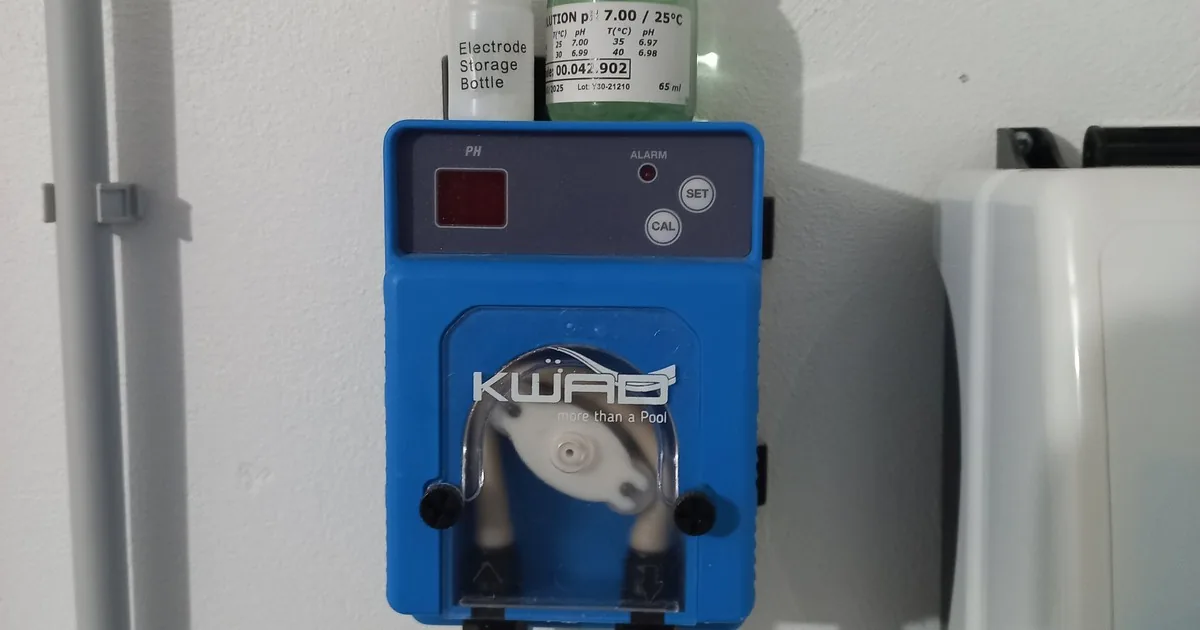
Ask whether the pool already has a controller, mechanical timer, subpanel, wireless gateway, indoor panel, or handheld remote. Record the brand and model exactly as shown on the label. If the caller cannot find the model, request one wide photo of the whole equipment pad and close photos of each readable equipment plate.
Capture the pump, heater or heat pump, sanitizer, lights, cleaner or booster pump, water-feature pumps, valve actuators, and any separate spa equipment. For each item, record the manufacturer, model, approximate age if known, and whether it currently works. A clean note says, “Variable-speed pump runs from its local keypad; gas heater works from its own panel; two manual valves switch pool and spa.” It does not say the devices are automation-ready.
Compatibility is model-specific. Leslie's advises checking equipment against the chosen controller before purchase and notes that adapters or conversion methods may be needed in mixed systems. Hayward also limits certain upgrade kits, remotes, and expansion parts to named control families. Brand names alone cannot settle the question. A manufacturer may sell several generations that communicate differently or expose different functions to a controller.
Ask about old paperwork. Installation invoices, manuals, model lists, wiring diagrams left by the builder, and screenshots from a current app can help the estimator identify what is present. They support the site review. They do not replace it.
Map the pool, spa, valves, and separate circuits
The office also needs a simple physical map. Ask whether the property has a pool only, a pool with an attached spa, or separate bodies of water. Record waterfalls, deck jets, bubblers, fountains, spillways, fire features, and landscape lights the owner expects to include.
Ask how the system operates today. Does the owner turn valve handles by hand before using the spa? Are there existing valve actuators? Does one pump serve the pool and spa, or does each body have separate equipment? Are the pool lights on one switch or several? These are observations, not instructions for the caller to open panels or test wiring.
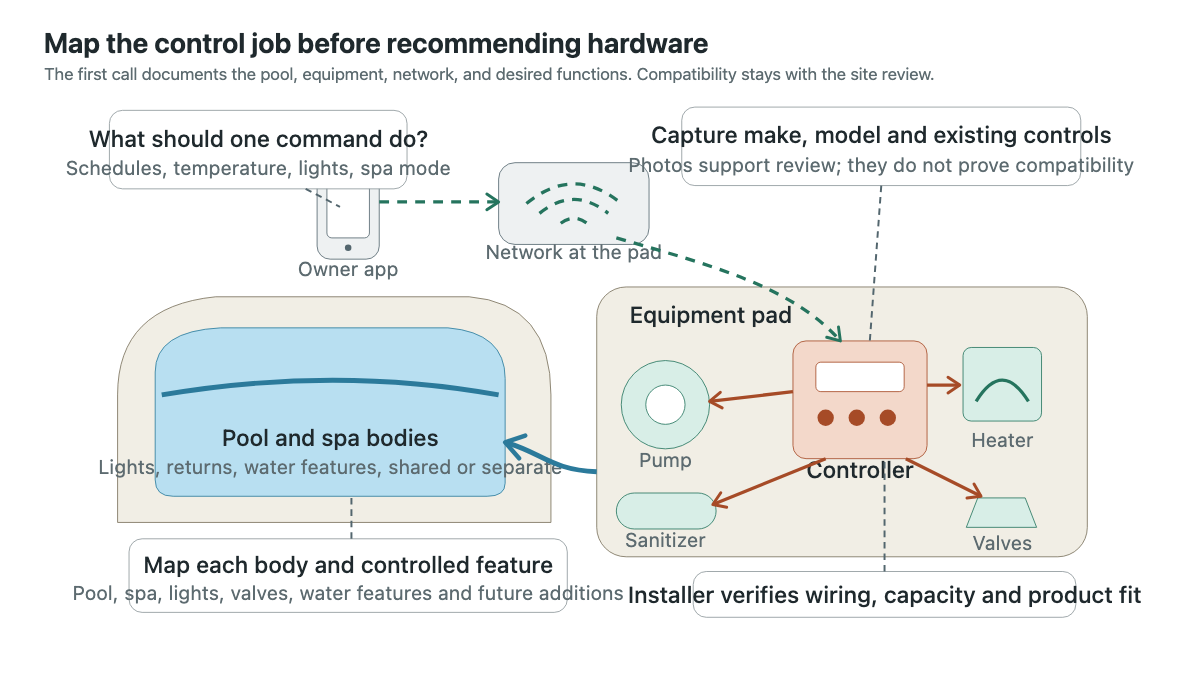
Photos should follow the same map. Request a wide view of the pool and spa, a wide view of the full equipment pad, readable model plates, the existing control or timer with its door closed, visible valve handles and actuators, and the route between the house and pad. Never ask a caller to remove a dead front, open electrical compartments, move conductors, or operate unfamiliar equipment for a better picture.
The pool equipment repair intake guide is the better route when a pump, filter, or other component has failed. An automation consultation should not hide an active repair request inside a larger sales ticket.
Check connectivity without promising remote control
If the customer wants app access, ask whether the home has internet service and whether Wi-Fi reaches the equipment pad. Leslie's specifically recommends checking the signal at the pad before installing Wi-Fi controls. The office can ask the owner to report whether their phone stays connected to the home network while standing near the closed equipment area. Record the observation and the phone used for the check.
That simple test has limits. A phone showing Wi-Fi bars does not prove that a controller can maintain a stable connection through an enclosure, wall, or distant access point. It also says nothing about equipment compatibility, account setup, cloud service, or app support. Put “home Wi-Fi visible at pad on owner's phone” in the ticket, then leave network design to the installer.
Ask who will own the automation account and which people need access. Rental homes and managed properties often have an owner, property manager, pool company, and guests with different needs. Record those roles. Do not collect passwords or ask the customer to share an existing login over the phone.
Keep electrical design and compatibility in the field
Automation combines water, powered equipment, controls, and sometimes gas-fired heating. The office should screen for visible hazards without coaching the caller through diagnosis. Ask whether there is standing water at the equipment pad, an open or damaged enclosure, exposed conductors, a burning smell, repeated breaker trips, or equipment that is hot, smoking, or making unusual electrical sounds. Follow the company's urgent safety process when any answer is positive.
Keep the boundary firm. Do not tell the caller which breaker, relay, transformer, communication cable, actuator, or enclosure the job needs. Do not promise that existing wiring can be reused. Never ask someone to open a powered panel to count spaces or read an internal label.
A final price also waits for inspection. The field professional must confirm what can communicate directly, what can be switched, how many functions need control, the condition of existing equipment, the available installation area, the electrical scope, and any changes needed to plumbing or valves. State what the consultation covers and when the customer will receive a written proposal.
The same discipline applies to scheduling. A requested party date or travel date belongs in the notes, but it remains a request until equipment availability and installation scope are known.
Read back a consultation-ready ticket
A useful handoff sounds like this:
“Owner wants app control for an attached pool and spa. Desired functions are pump schedules, spa mode, gas heat, two pool lights, spa light, spillway, and one landscape-light circuit. Existing equipment includes a variable-speed pump, gas heater, salt system, two labeled valve actuators, and a mechanical timer. Makes, models, and photos are attached; compatibility is unverified. Pool and spa share the main equipment pad. Home Wi-Fi appeared on the owner's phone beside the closed pad. Existing controller status is unknown. Access is through an unlocked side gate, and a large dog must be secured. Owner approves the project and wants a proposal before planned patio work next month.”
Read the summary back. Confirm the service address, contact, desired functions, known equipment, missing model information, photos requested, access notes, appointment window, and the person who can approve scope. Mark every unverified item as such.
The pool service resource hub has related guides for equipment, seasonal work, and recurring service. If the property uses a salt chlorine generator, the saltwater pool system intake guide can help the office document its current condition without treating a salt-system problem as an automation failure.
An AI receptionist can collect these fields after hours and request the same safe, exterior photos. The close should remain simple: “Please send one wide photo of the equipment pad, clear model-label photos, a photo of the existing controller or timer with the cover closed, and a wide view showing the pool and spa features you want to control.” That gives the consultant a place to start before stepping through the gate.