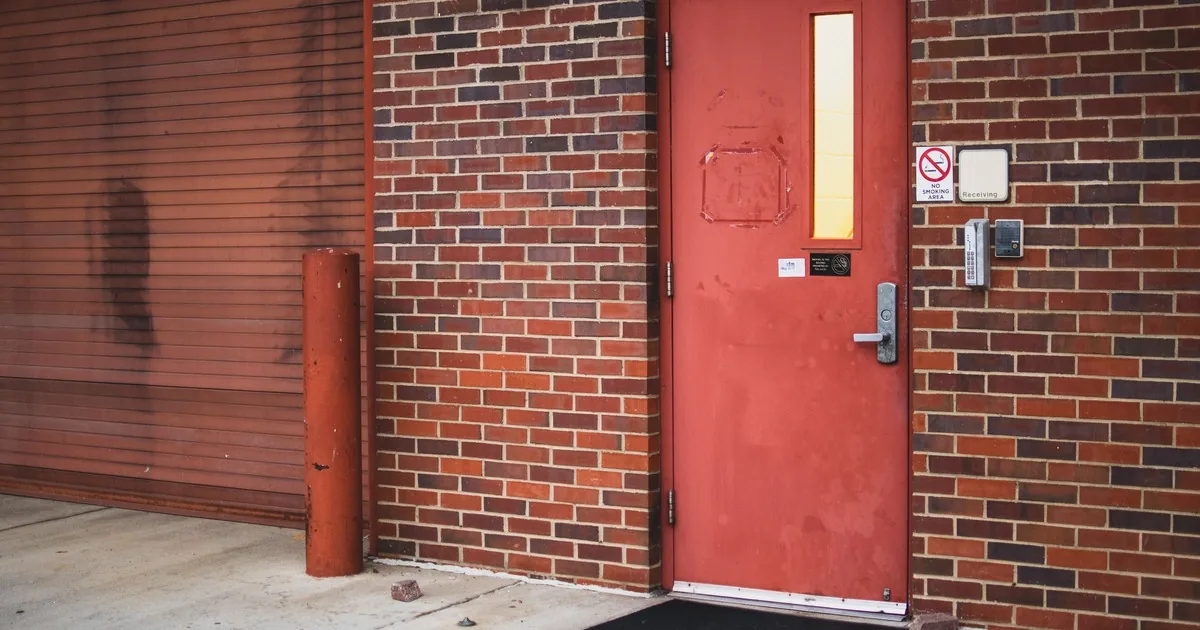
A facilities manager calls from a side entrance. The card reader flashes green, there is a click near the frame, and the door stays shut until someone pulls hard on the handle. The caller says the electric strike has failed. That may be true, but the call has already supplied three different clues: the system acknowledged a credential, something responded at the jamb, and door pressure changed the result.
A useful electric strike service ticket preserves that sequence. Start with the door's current security and egress condition. Then record one normal access attempt from credential to door movement, identify the complete opening, note what changed before the symptom began, and confirm who can provide access and authorize inspection. Reception should promise an inspection unless the shop has enough verified information to define a narrower visit.
Start with the door's current condition
Ask whether the door is locked, unlocked, stuck open, or unable to latch. Can people enter by an approved alternate route? Can occupants leave through the door using the normal inside hardware? Is anyone trapped, is the opening unsecured, or is there an active fire, smoke, break-in, or threat?
Those answers set urgency. A busy employee entrance that rejects one badge is different from a required exit that will not operate normally or a perimeter door that cannot secure. Follow the company's emergency and life-safety escalation policy. If there is immediate danger, direct the caller to the appropriate emergency service.
Do not infer the installed operating mode from what happens during an outage. Electric strikes can be configured for different power-loss behavior, and the complete door assembly may include panic hardware, a closer, alarm contacts, automatic operators, or other controls. The HES and Von Duprin instructions both distinguish fail-safe and fail-secure configurations. They also put local approval and egress questions outside a casual troubleshooting call.
Record the opening's job in plain language: public entrance, employee door, loading area, apartment lobby, interior controlled room, stair door, school entrance, medical office, or another use. Add operating hours and the number of people waiting. That gives dispatch context without asking reception to decide which code applies.
Capture one normal access attempt in order
Ask the caller to describe what already happens during normal use. If company policy permits one ordinary retry, keep it to the same credential and the same method people usually use. Nobody should force the door, remove a cover, expose wires, change controller settings, or try to defeat the access system.
Begin with the credential. Is it a card, fob, mobile credential, keypad code, intercom release, desk button, or scheduled unlock? Does the problem affect one user or every tested user? What exact time did the latest attempt occur? A timestamp may help the technician or access-control administrator match the report to available system records.
Then capture the reader response. Note the color, tone, or message as the caller reports it. Avoid translating “green light” into “the controller is good.” A reader indication is one event in the chain, not a diagnosis of the power supply, relay, wiring, strike, latch, or door.
Move to the jamb. Does the caller hear silence, a single click, a buzz, or repeated cycling? Where does the sound seem to come from? Does it stop quickly or continue while the release is active? Finally, ask what happens at the door. Does a light push or pull change whether it opens? Does the latch remain caught? Does the door release but fail to close and relatch afterward?
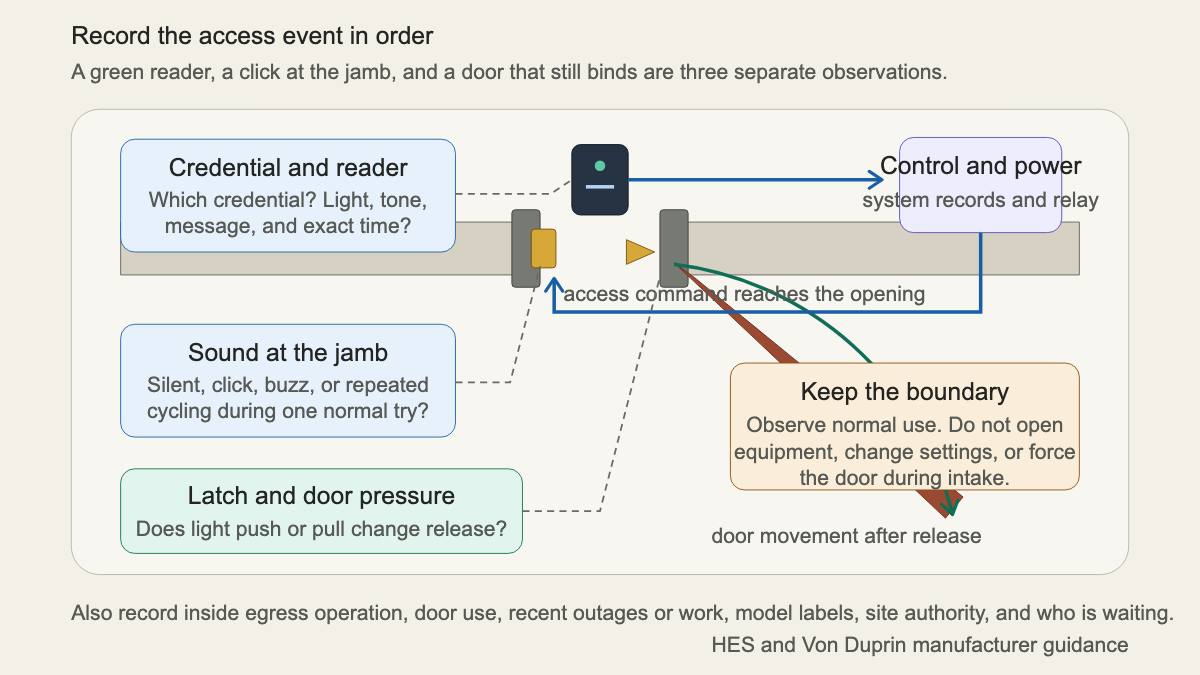
HES's electric strike troubleshooting guide separates power supply, wiring, voltage, mechanical parts, access-control settings, door alignment, credentials, and environmental conditions. That list is meant for trained service work. For intake, its value is simpler: each domain deserves its own observation.
Identify the complete opening
“The back door strike” may describe several similar openings. Get the building name, street address, floor, room or door number, nearest landmark, and which side has the reader. Ask for the door and frame materials if the caller knows them. Record whether the door swings in or out from the caller's position.
Request photographs through the shop's approved channel. A useful set includes:
- the entire door and frame from each accessible side;
- the reader, keypad, intercom, or release station;
- the lockset or exit hardware on both sides;
- the strike area in the frame while the door is already open;
- readable labels on the strike, power supply enclosure, controller, and related hardware, without opening any enclosure;
- the top and bottom of the door if rubbing, sagging, or closer behavior is visible;
- prior repair plates, damaged fasteners, fresh impact marks, or exposed gaps.
Model details matter. The HES 5000/5300 instructions separate product voltage, connectors, operating mode, monitor contacts, faceplates, and frame preparation. The Von Duprin 5100 instructions publish a different set of product details, including its own power, faceplate, frame, clearance, and relatching checks. Reception should collect labels and installed context. It should not borrow a value from one manual and apply it to an unidentified strike.
If the customer is calling about a proposed system rather than a failed opening, move the conversation to the access-control quote intake guide. New-system discovery covers users, schedules, door count, credentials, integrations, and administration. A service ticket starts with the existing opening and the failed event.
Ask what changed before the symptom
A clean timeline often helps more than a confident guess. Ask when the door last worked normally and whether the failure is constant or intermittent. Record what happened nearby before the first bad event.
Relevant changes include a utility outage, generator test, electrical work, network or controller work, credential update, schedule change, tenant turnover, door impact, delivery damage, painting, weather exposure, frame work, closer adjustment, lock replacement, strike service, or a fire-alarm test. If another contractor visited, record the company and stated scope without assigning blame.
Ask whether the symptom changes by time of day, user, credential type, temperature, rain, or door position. A problem that appears only after the door is propped open for deliveries belongs in the record. So does a door that releases early in the morning but binds after afternoon sun warms the opening. These patterns guide inspection; they do not prove a failed part.
Door movement can be its own service path. If the strike clicks and the latch releases only when someone pulls the door toward the frame, link the ticket to the door closer and lock alignment guide. If panic hardware is involved, use the panic bar repair intake to capture its operation and any egress concern.
Keep remote testing inside a safe boundary
A caller can report normal operation, visible condition, labels, sounds, timestamps, and recent events. Stop before service work begins. Do not ask the caller to remove the strike, probe wiring, meter voltage, open a power supply, move mode screws, bypass a relay, change access rules, hold a fire-alarm input, tape a latch, or defeat door hardware.
This boundary protects the person and preserves the installed condition for the technician. It also prevents a temporary workaround from becoming an undocumented security or egress problem.
If the caller says the inside hardware does not permit normal exit, the fire alarm changed door behavior, or the opening has a fire label, record the exact observation and escalate under company policy. Reception should not promise that a change is allowed. The applicable building use, door assembly, adopted rules, listed hardware, and local authority all matter.
Write a dispatch note that preserves the system
Read the ticket back before scheduling. A strong note might say:
“Employee entrance B at the east loading area. Metal door and frame with wall-mounted card reader, lever lockset, surface closer, and electric strike. Door currently closes and secures. Normal inside lever operation was reported. All three employee cards tried this morning receive a green reader light at 8:14 a.m. The caller hears one click at the jamb. The latch releases only when the door is pulled toward the frame with light hand pressure. The issue began after a delivery cart hit the open door yesterday. Photos show the full opening, reader, inside and outside hardware, strike area, closer, and readable labels. Facilities manager will meet the technician and may authorize inspection. Repair method, parts, settings, code review, and completion timing remain subject to qualified on-site evaluation.”
That note gives the technician a sequence, a physical opening, a change event, and a person with authority. An AI receptionist can collect the same approved fields after hours, provided uncertain security and life-safety reports route to the shop's designated reviewer.
The best intake leaves the door untouched and the evidence intact. When the technician arrives, “electric strike broken” has become a specific event at a specific opening, with the right person waiting.
Sources
- HES: Electric Strike Troubleshooting, 10 Steps
- HES: 5000/5300 Series Electric Strikes Installation Instructions
- Von Duprin: 5100 Electric Strike Installation Instructions